School management software built for how Indian schools actually run
School management software is a single system that replaces the registers, spreadsheets and messaging groups a school uses to run fees, attendance, admissions and parent communication. Ours is a multi-tenant platform with four permission levels, built originally for a preschool group and now deployable for any school running repeated operational cycles across one campus or several.
Free 30 minutes · no obligation
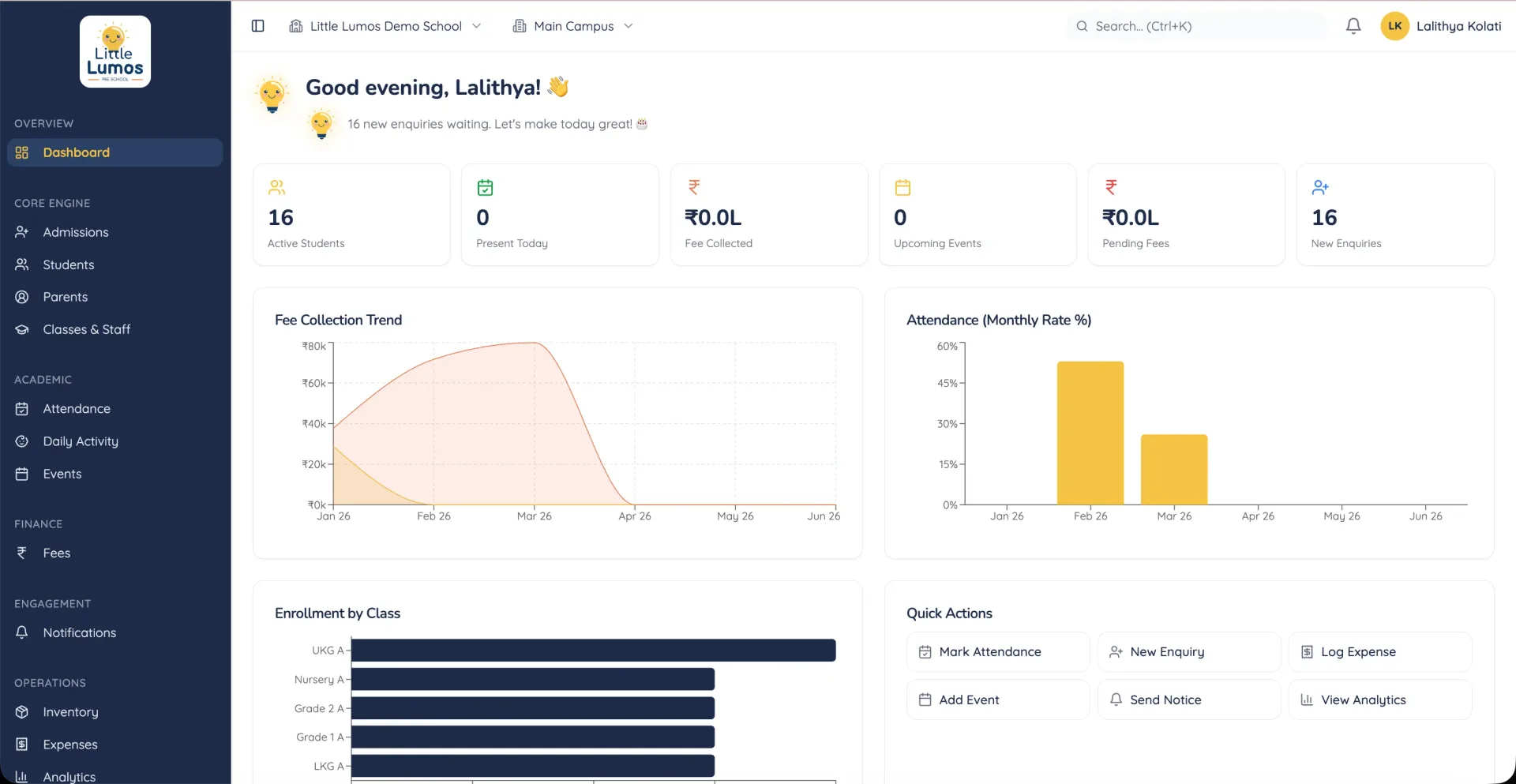
What it does
Every item below exists in the system that is already running. Nothing here is planned, on a roadmap, or coming soon.
Fee generation and collection
Fees generated automatically per student per term rather than assembled by hand, with collection recorded against a single reconcilable record. This is where school offices most often lose days to arithmetic.
Attendance and daily activities
Attendance captured by teachers and visible to parents without anyone rekeying it, alongside daily activity records — which for preschools is the update parents actually want.
Admission pipeline
Enquiries tracked from first contact through to enrollment, so nothing sits unanswered and the office can see where applications are stalling.
Role-based access
Four distinct levels — superadmin, admin, teacher and parent — so each person sees only what applies to them. Parents cannot see other families; teachers cannot see finance.
Expenses and inventory
Operational spending and stock tracked inside the same system as everything else, rather than in a separate spreadsheet that reconciles with nothing.
Events and notifications
Calendar and announcements delivered through the portal, replacing the messaging groups where school information usually goes to die.
Multi-tenant architecture
Additional campuses are configuration, not a rebuild. This was in the first architecture rather than retrofitted, because adding tenancy later is a rewrite.
What should you check before buying school management software?
Most school software is sold on feature count, which is the least useful way to choose it. What decides whether a system gets used is whether the office staff who touch it fifty times a day find it faster than what they did before. A platform with two hundred features and a slow fee screen will be abandoned for a spreadsheet within a term.
So the questions worth asking are narrow. How many clicks to generate a term's fees for one class? Can a teacher mark attendance on a phone in under a minute? Can a parent find their own child's record without calling the office? Can you export your own data if you leave? Ask for a live demonstration of those four things rather than a feature list.
The second thing to check is tenancy. If you run one campus today and might run two later, a system built for a single school becomes an expensive migration at exactly the moment you are busiest. Ours is multi-tenant because the original client grew, and retrofitting that is a rewrite rather than a setting.
Finally, ask who owns the data and what happens at the end. You should be able to export everything in a usable format without asking permission, and the hosting should be in an account you control. A system you cannot leave is a system whose price will rise.
Is this a fit for you?
A good fit if
- Preschools and schools running fees, attendance and admissions on spreadsheets
- Groups operating more than one campus, or planning to
- Schools whose parent communication currently lives in messaging groups
- Offices where one administrator spends days per term on fee arithmetic
Probably not, if
- Schools already running a system that works, where the honest answer is to keep it
- Institutions needing board-specific compliance reporting we have not built
- Anyone wanting a learning management system: this runs operations, not coursework