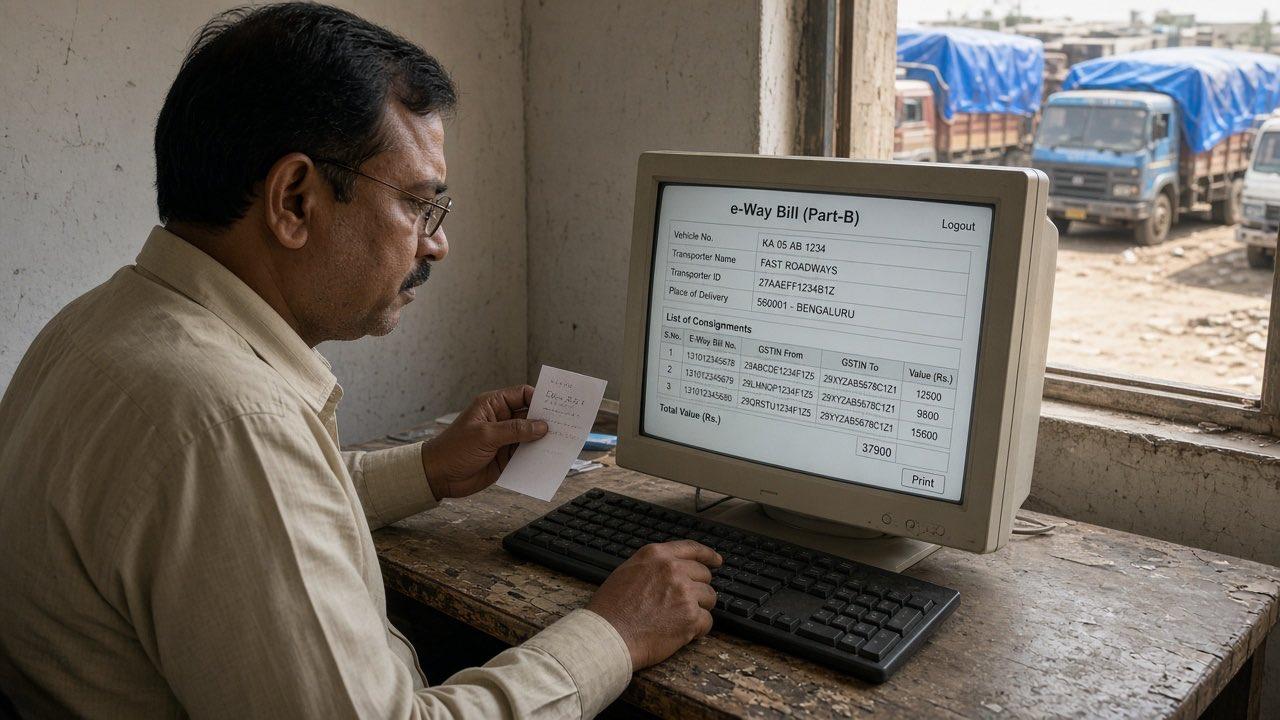
The key points
- Only the generator of an e-way bill or the transporter assigned to it can update Part-B; after a reassignment, only the latest assigned transporter can.
- The portal supports bulk Part-B and transporter updates from a JSON file, and the API manual's own transporter example enters the vehicle against the LR.
- Treat the LR as the key: e-way bill number, vehicle, trip sheet and consignee message all hang off it.
- Log every request and the reference the system returns, and re-read the e-way bill before any retry.
- Validity, thresholds and extension rules live on the official portal; read them there and confirm with your GST practitioner.
Who updates Part-B, and when?
When a consignor raises a bill for a transporter, they enter the transporter ID in the transportation details. The e-way bill FAQ is explicit that a taxpayer without a vehicle yet must enter a transporter ID to generate the Part-A slip, so that the transporter can enter Part-B. Entering Part-B is what turns the slip into an e-way bill, and the portal FAQ says Part-B is a must for movement of goods, with narrow exceptions it lists itself, so confirm with your GST practitioner when a dispatch can leave without it. The FAQ adds that Part-B can be updated by the generator or by the transporter assigned for that bill, and that when a bill is passed on, only the latest assigned transporter can update it.
Two practical consequences. First, you find out about work by pulling the list of e-way bills assigned to you, not by waiting for a phone call. Second, the update belongs to the moment a specific vehicle is committed to a specific LR, not to the moment the consignor generated the Part-A slip. A transporter who updates early with a guessed vehicle number creates a second problem: a wrong vehicle on a bill that is already live.
Which consignments need an e-way bill, and for how long one stays valid, are set by the GST rules and the portal. Check the current value limits and validity periods on the official e-way bill portal and confirm with your GST practitioner how they apply to your lanes. Part-B updates sit alongside proof-of-delivery chasing and freight reconciliation in AI automation ideas for Indian SMEs.
Portal, bulk file, API or provider: which route fits?
The portal FAQ lists the ways to work with the system: web, SMS, mobile app, bulk generation, site-to-site integration and a GST Suvidha Provider. For Part-B at volume, three of those matter. The bulk facility works from a JSON file, prepared from your own system or from the Excel-based tool on the portal, and the FAQ lists Part-B updates and transporter updates among the activities it covers. The API manual describes the site-to-site route and says the update-vehicle service is open to taxpayers, transporters and Suvidha Providers.
The API manual lists prerequisites for site-to-site access: an automated invoice generation process, an SSL or TLS domain, a static IP, a pre-production system, and a minimum volume of daily activity, with testing in the pre-production environment before you are moved to production. Read the current numbers and conditions on the portal, because the manual is a dated document. A transporter who does not meet them can reach the same service through a provider whose system calls the API on their behalf.
- One bill, one vehicle, occasional: use the web portal or mobile app.
- Many bills leaving in a batch from a spreadsheet or TMS export: use the bulk file upload.
- Continuous dispatch from your own LR software: use the API directly, or a provider that exposes it.
- Mixed: run the API for the routine flow and keep the portal for exceptions.
What does the dispatch workflow look like end to end?
The official API manual sketches the transporter flow in a few lines: pull the bills assigned to you, enter the vehicle number against the LR in your system, call the service to update Part-B, store the acknowledgement and print the trip sheet or manifest. Softivum builds that spine as a small service next to your LR or transport software, then adds the pieces that make it safe at volume: matching, a queue, a log and the consignee message.
The consignee message is the part most transport offices still do by phone. Once Part-B is acknowledged, the LR number, vehicle and e-way bill reference can go out as a WhatsApp update, as set out in sending LR-number delivery updates on WhatsApp. The same LR record later collects the signed receipt, as in capturing proof of delivery on WhatsApp.
What fails at scale, and how do you contain it?
Wrong vehicle number. The portal expects set formats for vehicle numbers and rejects what it cannot parse, and a transposed digit that passes validation is still wrong on the road. Validate the number at the point of vehicle assignment against your own fleet master, and show the dispatcher the number back before the batch goes. The portal FAQ says Part-B can be updated as many times as needed within the validity period, so a wrong entry is corrected with a fresh update, and your log shows both.
Validity running out. The FAQ says validity starts at the first Part-B entry and is not recalculated on later entries, and that updates must fall within validity. Do not compute expiry yourself from distance rules. Read the expiry from the e-way bill record, raise an internal alert ahead of it, and send the case to a person: extension has its own reasons and conditions on the portal, which your GST practitioner should confirm.
Vehicle change in transit. A breakdown or trans-shipment means the bill must carry the vehicle that is actually moving the goods. The FAQ says the transporter or generator updates the new vehicle number, and for several bills moving together it describes a consolidated e-way bill, where changing the vehicle means regenerating the consolidated bill; the old one becomes invalid. In your system, a vehicle change is a new event on the LR with a reason, not an edit of the old row.
Duplicate updates. Retries after a timeout are normal, and because the system accepts repeated updates, a blind retry can record a second entry. Before re-sending, read the current e-way bill and compare the vehicle and transport document. Give each update a request key built from the e-way bill number, vehicle number and LR, so the same event is never sent twice; the same discipline is covered in our idempotent webhook handling.
Reassigned or unassigned bills. A bill passed to another transporter can no longer be updated by you, and a bill that never appears in your assigned list was probably generated against the wrong transporter ID. Both go to a short exceptions list for the dispatcher, with the consignor named.
What should the audit log hold?
The government system holds the legal record. Your log answers a different question: who asked for what, when, and what came back. One row per attempt is enough: LR number, e-way bill number, vehicle number sent, user or job that sent it, the time, the request key, the response and the reference the system returned, plus the reason when it is a change. The API manual lists the update-vehicle response as carrying the e-way bill number, a date and a reference number, so there is a stable value to store for every acknowledged update.
When a consignee or an officer asks which vehicle carried a consignment, the log answers in seconds, and when a batch partly fails you see exactly which rows to resend. The same log feeds the dispatch status a dealer should see, as e-way bill details in a distributor portal sets out, and it connects to your accounts through the ERP integration pattern. Softivum builds these flows as workflow automation with the API calls handled through custom software, and the order side that creates the LR is covered in turning retailers' WhatsApp orders into Tally sales orders.
How do you reconcile a bulk update when some rows fail?
Bulk and API updates rarely fail as a whole. Most rows go through and a few come back rejected, usually for a vehicle number in the wrong format or an e-way bill that is no longer assigned to you. The mistake is to treat the batch as one event. Treat each row as its own record with its own result: accepted with the portal's acknowledgement, rejected with the reason, or not yet sent.
Keep three rules in the workflow. Retry only the rejected rows after a person has corrected them, never the whole file, because an accepted row sent twice can record a second entry against the same bill. Hold a row back, instead of guessing, when the vehicle is unconfirmed. And run a short report at the start of every shift that lists bills with no Part-B entry yet, so the gap is found by your system and not by a checkpoint on the road.
A rejected or held-back row should also stop the status message that would have announced it, so the consignee is never told about a vehicle the portal does not show.
Routes for updating Part-B at volume
| Route | Suits | What you build | Watch for |
|---|---|---|---|
| Web portal or mobile app | One bill at a time, exceptions | Nothing; a trained dispatcher | Re-keying errors and no link to the LR record |
| Bulk JSON file upload | A batch leaving together, from a spreadsheet or TMS export | A file exporter and a validation step | Rejected rows in the middle of a batch; reconcile after upload |
| Site-to-site API | Continuous dispatch from your own LR software | Authentication, queue, retries, log | Prerequisites and testing on the pre-production system first |
| GST Suvidha Provider | Volume without owning the integration | Hand-off from your system to the provider | Who holds the log, and what the provider returns per update |
A dispatch workflow for Part-B updates
LR created
The booking is saved with consignor, consignee, goods and the transporter ID the consignor must use.
E-way bill number received
Your service pulls the bills assigned to you and matches each to an LR by transport document details, consignor and invoice. Unmatched bills go to the exceptions list.
Vehicle assigned
The dispatcher picks a vehicle from the fleet master, and the number is validated and shown back before it is queued.
Part-B updated
The queue sends the update by API, or writes a bulk file, with a request key and a reason. The acknowledgement and reference are stored on the LR.
Trip sheet and consignee notified
The trip sheet is printed, and the consignee gets the LR, vehicle and e-way bill reference as a message. A later vehicle change repeats the last two steps.
Transporter Part-B checklist
- Does every LR carry the e-way bill number, and every e-way bill the LR number?
- Is the vehicle number validated against a fleet master before it is queued?
- Is Part-B sent only when a specific vehicle is committed to the LR?
- Does each update carry a request key, so a retry never sends the same event twice?
- Is the current e-way bill read before any retry or correction?
- Does an alert fire ahead of expiry, using the expiry read from the bill and not a locally computed one?
- Is every vehicle change recorded as a new event with a reason?
- Are unassigned and reassigned bills listed for a person to resolve?
- Has your GST practitioner confirmed validity, extension and threshold rules for your lanes?
Sources
Rules and guidance this answer relies on. Policies change, so check the current version before acting on it.