The key points
- Free-text messages, catalog carts and WhatsApp Flows all arrive on the same webhook as different message types, so one pipeline can serve all three.
- A retailer's phone number maps to a Tally ledger and each item line maps to a stock item through an alias table you maintain.
- Tally takes orders over HTTP only while it is running with a company loaded, so a queue sits between WhatsApp and Tally.
- Meta retries webhooks and can send duplicates, so the message ID is the key that stops a double Sales Order.
- Anything the pipeline is unsure about goes to a review queue that your order desk clears, never to a silent guess.
What does the path from a WhatsApp message to a Tally Sales Order look like?
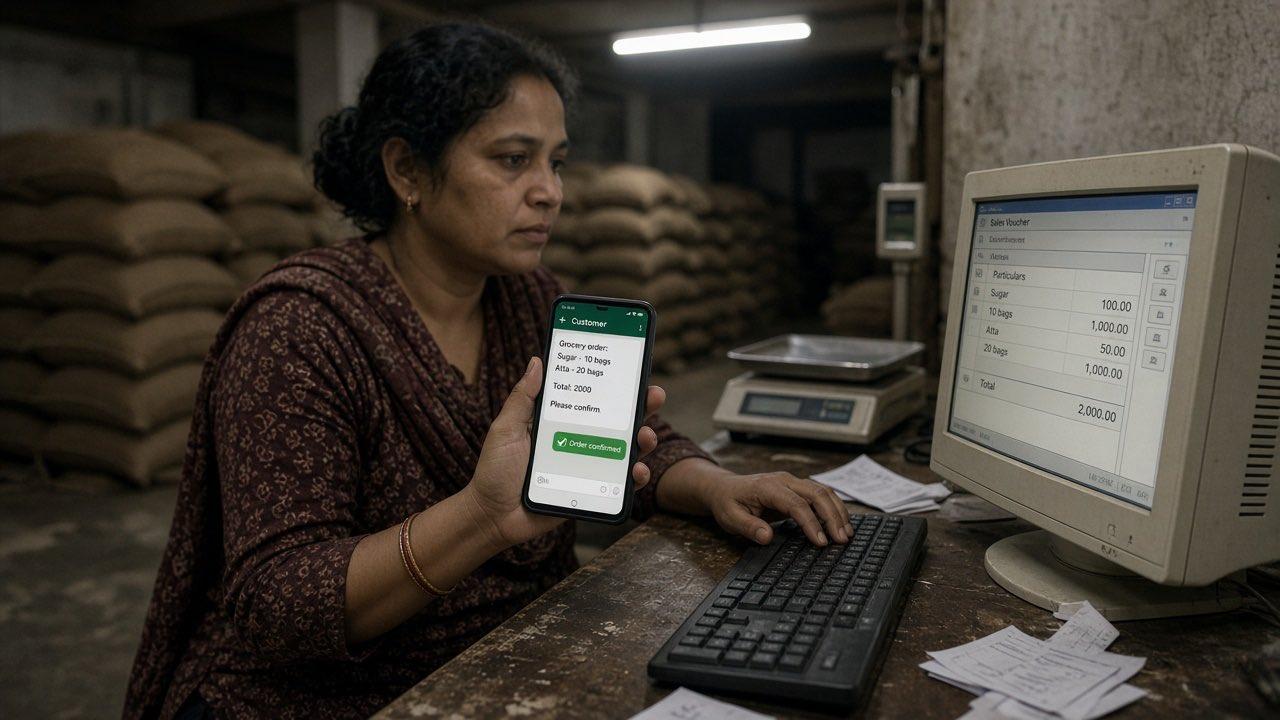
A retailer orders the way they always have: a message to the number on the salesman's card. "Sugar 50 kg x 20, atta 10 kg x 30, same oil as last week x 5." Today someone on your order desk reads it, keys it into Tally, and phones back to settle the doubtful lines. The pipeline automates the reading and the keying and keeps a person on the doubtful lines. It has eight stages: receive, identify the retailer, match the items, confirm, apply rules, post to Tally, acknowledge, and log. The step-by-step list further down names the system that owns each stage and what breaks there.
Softivum builds this as a workflow automation on accounts you own: your WhatsApp Business Platform number, a small service that runs on the network next to your Tally machine, and a review screen for the order desk. Message understanding is handled through AI integrations where rules alone cannot read a message, and it sits alongside a WhatsApp chatbot that answers your retailers' routine questions. Because the chat number, the Meta account and the Tally data stay yours, nothing depends on a middleman's inbox.
Which WhatsApp order formats can arrive, and which should you use?
Meta delivers every inbound customer message to the webhook you host, as a POST request, with the message type carried in the payload (Meta: create a webhook endpoint). Three order formats matter for a distributor. The first is plain text, which is how most retailers start. The second is a catalog order: Meta fires an order webhook when a customer orders through a catalog, single-product or multi-product message, and it carries the catalog ID, an optional note from the retailer, and a list of items with product ID, quantity, price and currency (Meta: order webhook). The third is a WhatsApp Flow, a form filled in inside the chat. A completed Flow comes back through the same webhook as an interactive message whose `nfm_reply` holds the answers as JSON, and a `flow_token` you set lets you tell which form it was (Meta: receive a Flow response).
The catalog route removes most matching work if you set each catalog product's ID to your Tally stock item code, because the order then names your items already. It needs setup: the catalog is uploaded through Commerce Manager or the Commerce API, connected to your WhatsApp account, and cart functionality is switched on in the commerce settings. A cart cannot be edited once sent, so a changed order arrives as a second cart and your pipeline must decide whether it replaces the first (Meta: catalogs overview). Flows suit retailers who order a fixed range every week: you control the fields, so a missing quantity cannot happen. The server validates every Flow response as it would any web form: required fields, known item codes and sensible quantities.
Most distributors run all three, with each retailer on the format they will actually use. The format comparison further down helps you choose, and WhatsApp versus a retailer app versus a portal covers when to move a retailer off chat altogether. Order capture is one of several repeated jobs a distributor can hand to a workflow; AI automation ideas for Indian SMEs lists the others, from payment reminders to credit-limit checks.
How do you turn a message into a clean order?
Start with the sender. The phone number on the message is looked up in a mapping table that links numbers to Tally party ledgers. One ledger can have several numbers (the owner, the storekeeper, the salesman who orders on their behalf), and one number can serve more than one ledger when a buyer runs two shops, in which case the pipeline asks which shop. An unknown number never creates an order: it goes to the review queue so a person can link it to a ledger or reject it.
Then match the lines. Retailers write "cheeni", "sugar 50" or "the blue pack", and Tally holds one formal stock item name per product. A maintained alias table maps shorthand to stock items and to a default unit, so "bori" or "bag" resolves to the right pack. Fixed patterns are read by rules. Loose sentences, mixed Hindi, Telugu and English, and a photo of a handwritten list are read by a language model that proposes lines with a confidence for each. A line below the confidence bar is never posted on the model's word.
Next, confirm in the chat. When the order arrives inside the conversation, a free-form reply needs no template: Meta opens a 24-hour customer service window when the customer messages you, and resets it on each new message (Meta: send messages). The pipeline replies with a numbered summary of what it understood and asks one question about the unclear line, for example which of two similar items was meant. Once the retailer answers, or the confidence was already high, the order moves to rules. Voice notes and photos of handwritten lists enter the same path through transcription or reading, and always pass the confirmation step.
Which rules should run before an order reaches Tally?
Rules turn a parsed order into one you will accept. The usual four are credit, stock, minimum order and price. Credit compares the order value with the retailer's limit and what they already owe, and the outstanding comes from Tally itself, read through the same interface used for posting, so the check always uses current books. Checking a retailer's credit limit before accepting an order covers the design in full, including what the retailer sees when an order is held.
Stock compares each line with what you can ship from the right godown. Minimum order rules apply per retailer or per route. Price comes from your price list and scheme rules for that retailer, the same logic a dealer portal needs for pricing and credit. The outcome of each rule is one of three: pass, adjust with the retailer's consent (for example, a short-stocked line reduced), or hold for a person. A hold is a decision for your sales head, and the retailer receives a short, neutral message that the order is with your team, not a rejection.
How does the order actually get into Tally?
Tally documents an HTTP route for this, one of several compared in integrating an app with TallyPrime. External applications send an XML request to Tally, and Tally answers with an XML response. Before that works, TallyPrime must be running as a server on a chosen port, with 9000 as the example, and at least one company must be loaded (Tally: prerequisites for integrations). Two consequences shape the design. A Tally machine that is closed or has no company open cannot take orders, so the integration queues them and posts in order when Tally is available. And the Tally port stays on your internal network: a small service in your office talks to Tally and collects work from the cloud side over an outbound connection, which means you never expose Tally to the internet. For the general pattern of linking a front end to accounting software, see connecting your website to your ERP.
The masters must exist first. Tally's own help for a Sales Order says to create the party ledger, sales ledger and stock items beforehand, and records the products, quantities, agreed rates and delivery dates of the order (Tally: Sales Order). That is why the mapping tables above come before posting, and why a new item or retailer is created in Tally by your team first and then added to the mapping.
For the voucher itself, Tally's published sample requests create Sales vouchers, in voucher mode and in invoice mode (Tally: sample XML). A Sales Order is a different voucher type, so we take the exact structure from an order exported out of your own Tally release, then post and read back test orders in a copy of your company before anything goes live. The reply Tally returns counts created and errored vouchers and carries the line-level error text (Tally: sample XML, import response), and the pipeline treats any error count above zero as a failure to review, never as success.
How do you stop duplicate orders and handle failures?
Meta tells you to expect repeats. If your endpoint does not return HTTP 200, delivery is retried immediately and then a few more times over the following days, and Meta says your server should handle deduplication (Meta: create a webhook endpoint). The same page describes verifying the `X-Hub-Signature-256` header by computing an HMAC-SHA256 of the payload with your app secret. So the receiving code verifies the signature, stores the raw payload with the message ID, returns 200 straight away, and does the slow work afterwards. The message ID is the idempotency key: a second delivery of the same ID changes nothing. The pattern used for payment webhooks carries over directly, and why WhatsApp webhooks fail lists the endpoint faults to rule out first.
Each order then moves through recorded states: received, parsed, awaiting confirmation, held, queued for Tally, posted, failed. The order reference is written into the Tally voucher, and after a timeout the pipeline looks for that reference in Tally before it tries again, so a retry cannot create a second voucher. The voucher ID from Tally's reply is stored against the order. A second cart or message from the same retailer soon after is not guessed at: it is flagged as a possible revision and the order desk decides whether it replaces the first order or adds to it.
Everything the pipeline cannot settle lands in the review queue with the reason attached: unknown number, unmatched item, low-confidence line, Tally rejection, held by a rule, Tally unreachable. Each entry shows the original message, what the pipeline understood and one-click actions. A queue that people clear daily is what makes the automation safe. The service itself can run on a workflow engine you host, as described in self-hosting n8n for business, or as purpose-built code, depending on how much custom logic your rules need.
What does one order look like end to end, and what happens after posting?
At 4:40 in the afternoon a retailer writes: "sugar 50 kg 20 bags, atta 10 kg 30, same oil as last week 5 box." The webhook delivers it. The number matches one ledger. Sugar and atta resolve through the alias table. "Same oil as last week" resolves to the item on that ledger's last Sales Order, with 5 boxes. The oil pack size has two variants, so the pipeline replies in the chat: "Confirm: sugar 50 kg x 20, atta 10 kg x 30, oil 1 L x 5. Reply Y, or tell me what to change." The retailer replies "oil 5 L". The pipeline updates the line and runs the rules. Credit passes. Atta is short at the main godown, so the pipeline offers 24 bags now with the rest on the next truck, and the retailer accepts.
The order reference is stamped, the Sales Order is posted to Tally, the reply shows one created and none errored, and the voucher ID is stored. The retailer receives an acknowledgement with the order reference. The next morning the order desk sees one entry in the review queue, a second cart from the same retailer that arrived an hour after the first. They mark it as an addition, and it posts as a second order.
After posting, the order continues through the rest of the chain. Dispatch means an invoice and, for movement above the legal threshold, an e-way bill; the transporter side is covered in updating e-way bill Part B at scale and the retailer hears about it through LR number delivery updates. Delivery closes with proof of delivery captured on WhatsApp, and overdue invoices follow the payment reminders flow. The same intake pattern, structured capture with a review queue, runs dealer spare parts and service requests and warranty registration and claims. Confirm the e-way bill thresholds and rules with your tax adviser or on the official portal.
Choosing the order format for each retailer
| Aspect | Free-text message | Catalog order (cart) | WhatsApp Flow form |
|---|---|---|---|
| What the retailer does | Types or dictates the order in their own words | Browses your catalog in the chat and sends a cart | Taps a button and fills a short form with fixed fields |
| What your webhook receives | A text message, or a voice note or photo | An order message with catalog ID, items, quantities and an optional note | An interactive message whose nfm_reply carries the answers as JSON |
| Item matching | Alias table plus a language model, with confirmation | Direct, if catalog product IDs equal your Tally stock item codes | Direct, if the form's choices are your item codes |
| Ambiguity risk | Highest: shorthand, units and 'same as last time' | Low: items are picked, quantities are numbers | Lowest: required fields cannot be skipped |
| Setup effort | Lowest: the retailer needs nothing new | Catalog upload, connection and commerce settings | A form to design, host and test |
| Changing a sent order | A follow-up message, matched to the order | A new cart, because a sent cart cannot be edited | A new submission |
| Best for | Small retailers and long-tail items | Regular buyers of a stable range | Weekly standing orders and route-based ordering |
The pipeline step by step: system and failure point
Receive the message
System: your webhook endpoint on the WhatsApp Business Platform. It verifies the signature, stores the raw payload and the message ID, and returns 200 at once. Can go wrong: endpoint down or slow, which triggers Meta retries and duplicates; an unverified payload accepted by mistake.
Identify the retailer
System: the number-to-ledger mapping table. Can go wrong: an unknown number, a salesman ordering for several retailers, or one number tied to two shops. All three go to the review queue or a clarifying question.
Match the items
System: rules, the alias table and, for loose text, a language model. Can go wrong: shorthand not in the alias table, a wrong unit, 'same as last time' pointing at a discontinued item. Low-confidence lines are never posted.
Confirm with the retailer
System: a free-form reply inside the 24-hour window. Can go wrong: the retailer does not answer; the order waits in an awaiting-confirmation state and the order desk is nudged, so nothing posts on a guess.
Apply the rules
System: the rules engine, reading outstanding and stock from Tally. Can go wrong: stale stock figures, a credit limit stored in two places, a scheme applied twice. Outcomes are pass, adjust with consent, or hold.
Post the Sales Order to Tally
System: the integration service beside Tally, posting XML over HTTP. Can go wrong: Tally closed or no company loaded, a missing master, a rejected voucher. The order stays queued and the error count in Tally's response triggers a review entry.
Acknowledge the retailer
System: the WhatsApp reply with the order reference. Can go wrong: the window has closed by the time the order posts, in which case an approved template is needed rather than a free-form message.
Log and retry
System: the order state store and the review queue. Can go wrong: a retry after a timeout that creates a second voucher. The stamped order reference is checked in Tally before any repost.
Go-live checklist for WhatsApp-to-Tally orders
- Webhook verifies X-Hub-Signature-256, returns 200 quickly and stores the message ID before any other work
- Every retailer number is mapped to a Tally ledger, and unknown numbers go to the review queue
- Alias table covers the top-selling items, with units and pack sizes agreed with the sales team
- Catalog product IDs or Flow choices equal your Tally stock item codes, if you use those formats
- Credit, stock, minimum-order and price rules are written down and signed off by the sales head
- A test Sales Order posts and reads back correctly in a copy of your Tally company on the release you run
- Tally machine runs as an HTTP server with the company loaded, and the queue holds orders when it is closed
- Order reference is written into the voucher, and retries check for it before reposting
- Review queue has an owner, a daily clearing routine and a reason code on every entry
- Retailers have been told how to order, with one number and one format per retailer to start
Sources
Rules and guidance this answer relies on. Policies change, so check the current version before acting on it.
- Meta: Create a webhook endpoint (WhatsApp Business Platform)
- Meta: Order messages webhook reference
- Meta: Receive a WhatsApp Flow response
- Meta: Catalogs overview (WhatsApp Business Platform)
- Meta: Send messages and the customer service window
- TallyHelp: Pre-requisites for integrations
- TallyHelp: Sample XML for TallyPrime integration
- TallyHelp: Sales Order in TallyPrime