The key points
- Tally documents push and pull: your app pushes XML or JSON to TallyPrime acting as a server, or TallyPrime pulls from your app using TDL.
- Native JSON over HTTP arrives with Release 7.0; XML is the longer-established format and the one most published samples use.
- Tally's own guides put authentication in a component in front of TallyPrime, so the port stays on the office network behind a connector.
- A lost response does not mean a lost voucher: the connector looks for its reference in Tally before any retry.
- Every integration is tested on a restored copy of the company, on the exact release you run, before it posts to live books.
What does a Tally API integration actually involve?
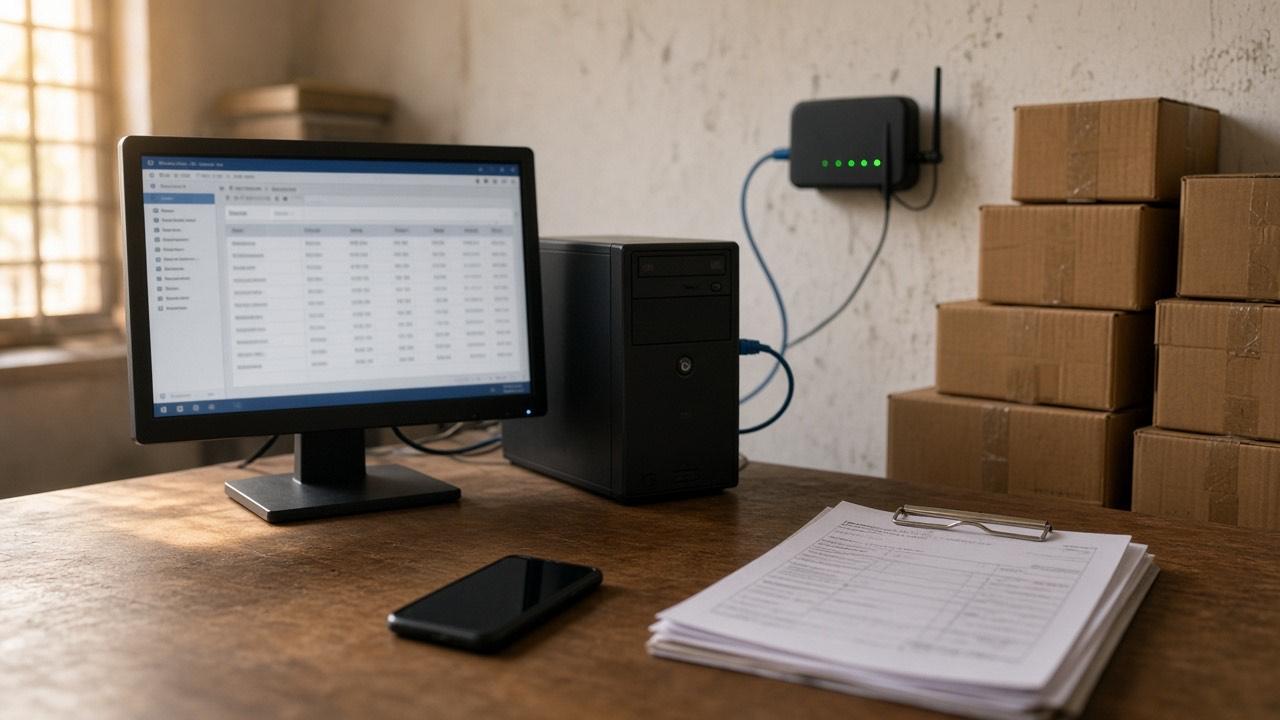
The interface Tally documents lives on the installation itself. TallyPrime acts as an HTTP server that receives an XML request and returns an XML response, and an outside application can read company data or store data in the Tally database without going through the Tally screens (TallyHelp: pre-requisites for integrations). So the endpoint your app calls is the computer in your office that runs Tally, at an address such as localhost:9000.
Tally describes two directions (TallyHelp: getting started with Tally integrations). In push mode your system starts the exchange and TallyPrime, acting as a server, accepts XML or JSON over HTTP: a CRM posting invoices, a portal posting orders, a workflow posting approved purchase vouchers. In pull mode TallyPrime starts it, using TDL to call your system over HTTP or ODBC to query a database. Most business integrations are push plus export: your app writes vouchers in and reads ledgers, stock and outstanding balances back out.
Every XML request uses the same envelope. A `HEADER` carries the version, the request type (export, import or execute), the information type and an identifier such as a report or collection name. A `BODY` carries the description, including static variables like the company and the period, and the data being sent. Tally replies in the same envelope with a status (TallyHelp: pre-requisites for integrations). Asking for the List of Ledgers collection returns every ledger in the loaded company, which makes it the usual first test of a connection. Whatever your app is, connecting a website or portal to an ERP with Tally underneath comes down to which of these requests you send, and when.
Which integration method fits which job?
XML over HTTP is TallyPrime's native route. It reads and writes, and Tally lists it for master imports, voucher imports and exports (TallyHelp: getting started with Tally integrations). Tally's sample requests create ledgers, stock items, units and vouchers, alter or cancel a voucher identified by its number, type and date, and export reports (TallyHelp: sample XML).
JSON suits REST API-style integrations (TallyHelp: integrate with TallyPrime). Tally's JSON documentation says that from Release 7.0 JSON data exchange is a default feature, like XML, and that JSON structured to TallyPrime's own object schema can be pushed over HTTP or imported with no TDL code. A JSON format of your own still works, but TDL has to read and map it (TallyHelp: integration using JSON). Tally's getting-started table still lists JSON under TDL customisation; on Release 7.0 and later the JSON page is the one to follow, and on an earlier release XML is the route.
ODBC is for reading. With TallyPrime as an ODBC server, Excel, a BI tool or your own report sees Tally collections as tables, with one row per object, such as a ledger or voucher, for the collections enabled for ODBC (TallyHelp: ODBC integrations), which suits dashboards and scheduled reports. Writing through ODBC runs through TDL on the Tally side: TallyPrime acts as the client, and a TDL collection runs a SQL query against an outside database and saves the rows as Tally masters. An outside app that needs to post vouchers uses XML or JSON.
TDL is Tally's own language for changes inside the product: new reports, extra fields on a voucher screen, validations and automatic entries (TallyHelp: integration methods and technologies). Tally's example is a TDL rule that stops a sales voucher being saved when the party's credit limit is exceeded. External methods exchange data and cannot change Tally's interface, so the split is clean: TDL for behaviour inside Tally, XML or JSON for your app. When the rule has to act before an order ever reaches Tally, checking a retailer's credit limit at the WhatsApp stage puts it in the intake flow instead.
File import is the batch route. TallyPrime imports masters and transactions from XML on every release, from Excel from Release 4.0, and from JSON from Release 7.0 (TallyHelp: import data from JSON or XML). For a sheet that arrives once a month, importing Excel data into TallyPrime is a shorter path than a live integration.
What must be in place on the Tally side?
Tally lists two prerequisites: TallyPrime running on a specific port, 9000 in its examples, and at least one company loaded (TallyHelp: pre-requisites for integrations). The switch is the client/server configuration, where TallyPrime is set to act as Server or Both. In TallyPrime the setting is Alt+Z (Exchange), Configure, Client/Server Configuration, where you choose Server or Both and set the port, then restart (TallyHelp: set up for data synchronisation). Two consequences shape the design. When the Tally machine is off at night, or someone closes the company, nothing can post, so your side holds the work and retries. And when several companies are open, each request names its target company in its static variables.
Masters come before the transactions that use them. Tally's sample XML guidelines say dependent masters must exist before a master or transaction request, under the right group: for example a sales ledger under Sales Accounts (TallyHelp: sample XML). Your app therefore keeps a mapping from its own customer, product and tax codes to exact Tally ledger and stock item names, and someone in accounts owns adding a master when a new customer or product appears.
Access control sits in front of Tally's HTTP port. Tally's tunnel guide is specific: authentication must be enforced by a component that receives the request before TallyPrime, and authorisation restricts each caller to approved companies and operations, with write operations and arbitrary embedded TDL rejected on a read-only integration (TallyHelp: tunnel-based connectivity). TallyPrime's user roles and security levels still govern the people in your office, deciding who can create, alter or display vouchers and blocking back-dated changes after an audit (TallyHelp: security and user management). The integration's own reach is set by where the port can be reached and by the connector that guards it.
How does a web app or WhatsApp flow reach a Tally machine in your office?
Most Tally installations run on a desktop or server behind the office router, often on a public IP that changes. Tally documents outbound-link patterns for that case, which start the connection from inside your network: a tunnel client that forwards requests from an HTTPS endpoint to the local Tally port (TallyHelp: tunnel-based connectivity), or a WebSocket bridge where a Tally connector on your network holds a persistent connection to a server the solution provider hosts. Tally presents the WebSocket design as an illustrative pattern for solution providers, not infrastructure it supplies (TallyHelp: secure WebSocket integration).
Softivum builds that connector as custom software: a small service on the Tally machine or its network that talks to TallyPrime over the loopback address or the LAN, keeps an authenticated outbound connection to your app, and holds a local queue. Orders, invoices and receipts wait in the queue while Tally is closed and post in sequence when the company is open again. Masters your app reads often, such as ledgers, stock items and price levels, are refreshed on a schedule and cached, so a busy website never queries Tally on every page view. The machines, the Tally licence and the accounts stay in your name.
WhatsApp splits into two jobs. Sending invoices and reports out is a product feature: TallyPrime with WhatsApp onboards your business number through Interakt and shares documents using Meta-approved templates (TallyHelp: TallyPrime with WhatsApp). Taking orders in is an integration: a webhook receives the retailer's message, AI integrations read loose text into order lines, and the connector posts a Sales Order once the retailer confirms. Turning retailers' WhatsApp orders into Tally sales orders walks through that pipeline stage by stage.
How does a website order become a voucher in TallyPrime?
Pick the voucher type first, because it decides what accounts sees. A website order that ships within a day or two is usually posted as a Sales voucher in invoice mode, which carries the stock items. Tally's sample XML shows that mode with `ISINVOICE` set to Yes and an `ALLINVENTORYENTRIES.LIST` of items. When fulfilment lags, as with made-to-order goods, post a Sales Order first. Tally's sales process guide describes sales orders as the record of quantities yet to be delivered, tracked against delivery notes, with Sales Order Outstandings listing what is unfulfilled. The connector posts only once the store confirms the order: a verified payment event from Razorpay webhooks, or for cash on delivery, the customer's reply to the COD confirmation on WhatsApp.
Each order line then maps to a stock item and each charge to a ledger. Shipping and any discount get their own ledger, agreed with your accountant in advance, so the voucher total matches what the customer paid. The gateway's fee is booked when the settlement arrives, against the gateway's ledger, not on the sale. Tally's sample XML says tax information has to be sent to Tally to maintain statutory records, and its sample invoice carries each tax ledger line with its rate and amount. The app does the same, while the ledger and item masters carry the GST classification. Confirm that mapping with your accountant before the first live order.
Returns are separate vouchers, not edits. Tally's sales returns guide records a return as a Credit Note in item invoice mode, with the original invoice number and date, and a Type of Ref that depends on whether the customer has already paid. An order cancelled before it is invoiced is pre-closed against its Sales Order instead, with the quantity and reason recorded, as the sales process guide describes. So the connector reads the store's cancel or refund event and checks what it posted earlier. A cancelled Sales Order goes to the review queue, where accounts pre-closes it with the quantity and reason; an invoice gets a credit note pointing back at it. Tally identifies a voucher by master ID, voucher number, type and date (sample XML), so the connector stores the master ID Tally returns in the import response (LASTVCHID) against the order, with the voucher number and date.
How do you stop duplicate vouchers and silent failures?
Read Tally's reply, not just the HTTP status. The import response counts what was created, altered and errored, and a successful single voucher returns one created and zero errors (TallyHelp: integration initiated from TPAs). An error count above zero is a failure, routed to a review queue with Tally's line-level message, even when the HTTP call itself returned normally.
Replays cause most double entries. Tally's WebSocket guide warns that a connection failure does not mean TallyPrime failed to receive or process the request, and that a replayed write should not be assumed to be idempotent (TallyHelp: secure WebSocket integration). So every write carries a reference from your system, such as the order number, stored on the voucher. When a response goes missing, the request moves to an outcome-unknown state, the connector looks for that reference in Tally, and only a confirmed miss is posted again. The discipline matches idempotent webhook handling in n8n, with Tally as the book of record.
Should you use a ready connector or build one?
A ready connector is the faster route when the other side is a common platform, your vouchers are standard sales, purchases and receipts, and one company is involved. Build when the rules are yours: credit checks before an order is accepted, schemes and price levels by dealer tier, several godowns or companies, a WhatsApp or voice intake, or an app you own. Many projects mix the two, with a connector for the storefront and a workflow automation for the rest; Zapier, Make or n8n compares the engines that often host the custom part.
Put five questions to any connector vendor before you sign. Which TallyPrime releases is it tested on? Where does it run, and does it need the Tally port opened to the internet? How does it prevent a second voucher after a timeout? What happens to records while Tally is closed? Where is your ledger data stored on its side? Vague answers to the third and fourth questions predict the month-end clean-up.
How do you test without touching the live books?
Work on a copy. Take a backup and restore it to a new, empty folder, which Tally's restore guidance recommends whenever there is doubt, so the live company cannot be overwritten (TallyHelp: backup and restore). For the exact structure of a voucher type, Tally's advice is to create the entry by hand in TallyPrime and export it as XML: that export is the structure to model your generated files on (TallyHelp: sample XML).
Then run the cases that break integrations. Post a voucher and find it in the Day Book. Send the same request twice. Close the company halfway through a batch. Post against a ledger that does not exist. Repeat the set after every TallyPrime upgrade, before the connector posts again. The connector points at the live company only when every case ends in the books or in the review queue, with nothing lost between the two.
TallyPrime integration methods compared
| Aspect | XML over HTTP | JSON over HTTP | ODBC | TDL customisation |
|---|---|---|---|---|
| Releases | Every TallyPrime release | Native from Release 7.0; custom JSON needs TDL | Every release, with ODBC enabled in the configuration | Every release |
| Direction | Read and write | Read and write | Mainly read by outside tools; Tally can pull rows from a database through TDL | Runs inside Tally and can call outside APIs |
| Best for | Posting masters and vouchers, exporting reports | Modern apps on a current release | Dashboards, Excel and BI reporting | Validations, new fields and reports inside Tally |
| Where the logic lives | Your app or connector | Your app or connector | The reporting tool | Inside TallyPrime |
| Watch out for | Exact master names and the envelope structure | Release check on every machine | Writes need TDL on the Tally side; apps post vouchers through XML or JSON | Needs a TDL developer and retesting on upgrades |
Integrating an app with TallyPrime, step by step
Confirm the release and the company setup
Note the TallyPrime release on every machine, the companies in use and who keeps Tally open. The release decides whether native JSON is available or XML is the route.
List what flows each way
Write down each record your app creates in Tally, such as orders, invoices and receipts, and each it reads, such as ledgers, stock and outstanding balances, with the voucher type and company for each.
Map your codes to Tally masters
Build the table from your customer, product and tax codes to exact ledger and stock item names, and agree who in accounts adds a new master.
Capture the structure from Tally itself
On a restored copy, create one voucher of each type by hand and export it as XML or JSON. Requests are built from that export, not from a generic sample.
Build the connector
Install it beside Tally with a queue, a reference on every write, a check of the created and error counts, and an authenticated outbound link to your app.
Test the failure cases
Duplicate sends, Tally closed mid-batch, missing masters, rejected vouchers and a release upgrade, all on the copy.
Go live with an owned review queue
Point the connector at the live company, give the review queue a named owner, and reconcile the first month of postings against your app.
TallyPrime integration readiness checklist
- TallyPrime set to act as Server or Both on a fixed port, with the target company loaded during working hours
- The Tally port reachable only from the Tally machine or the office network, never opened directly to the internet
- A connector that authenticates every request and limits it to approved companies and operations
- Ledger, stock item and voucher type names mapped exactly, with an owner for new masters
- A unique reference from your system written into every voucher the app creates
- Created and error counts checked on every Tally response, with errors routed to a review queue
- A queue that holds writes while Tally is closed and posts them in order when it returns
- Test results from a restored copy on the release you run, repeated after each upgrade
Sources
Rules and guidance this answer relies on. Policies change, so check the current version before acting on it.
- TallyHelp: Integrate with TallyPrime
- TallyHelp: Getting started with Tally integrations
- TallyHelp: Pre-requisites for integrations
- TallyHelp: TallyPrime integration using JSON
- TallyHelp: ODBC integrations
- TallyHelp: Secure WebSocket bridge for TallyPrime integrations
- TallyHelp: Sales process in TallyPrime
- TallyHelp: Record sales returns in TallyPrime