The key points
- Tally will not stop an over-limit sales order for you, so the credit check belongs in the WhatsApp intake flow, before the order is recorded.
- Read outstanding and overdue bills from Tally per matched ledger, and add orders already accepted but not yet invoiced to get true exposure.
- Three outcomes, set by the distributor: accept, hold for approval with the salesperson told, or ask for payment first.
- The reply goes out inside the 24-hour window as a normal message; a hold approved later needs an approved template.
- A retailer only ever sees their own position, and every override records who approved it and why.
Why check credit before the order is accepted?
A distributor's real exposure sits in the gap between the chat and the books. A retailer sends an order on WhatsApp at seven in the evening, the salesperson replies "done", and the next morning someone keys it into Tally and sees the party is well past its agreed terms. The promise is already made. Saying no to an order you confirmed last night costs far more goodwill than a polite question asked at the moment it arrived.
Tally will not close that gap for you. TallyPrime's sales FAQ says you can record a sales order even when it exceeds the party's credit limit: a warning appears and pressing Enter saves it anyway (TallyPrime sales FAQ). The limit is a setting on the party ledger, and the warning shows to whoever is typing. That suits a clerk at a desk. It does nothing for an order that was confirmed in a chat before anyone opened Tally, so the gate has to sit earlier, in the flow that receives the message. It is the same accept, hold or block decision a dealer portal makes for credit limits, with one difference: a retailer on WhatsApp has no screen showing available credit, so the reply message has to carry the news. The whole intake, from message to Tally order, is laid out in how to turn retailers' WhatsApp orders into Tally sales orders, and the choice between chat, app and portal is compared in WhatsApp vs retailer app vs portal for distributor orders.
What does the flow read from Tally, and how?
TallyPrime exposes its data as XML over HTTP, one of the TallyPrime integration methods alongside JSON, ODBC and TDL. You enable the HTTP server in Advanced Configuration, and an outside application posts an Export request to the Tally address, on port 9000 by default (Tally XML integration documentation). Tally's sample XML reference lists Ledger Outstandings, which takes the ledger name as its variable, and Bills Receivable among the reports you can request this way (Tally sample XML). These are the reports your accounts team already reads, so the numbers the flow acts on are numbers they trust. The exact request is tested against your own company before anything is built on it.
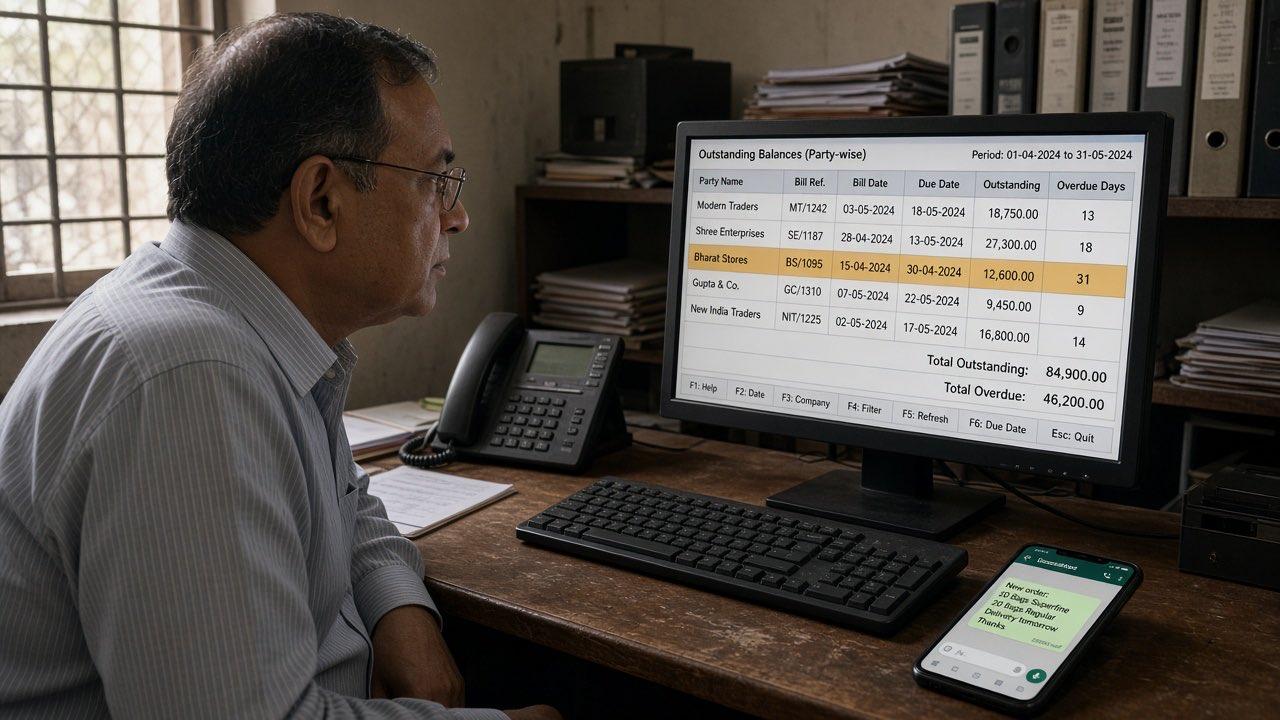
From the report, the flow takes three values for the matched party: total outstanding, the portion overdue against the credit period you agreed, and the age of the oldest overdue bill. The overdue values exist only when bill-wise tracking is on. Tally's credit periods work only with bill-wise tracking enabled, and ageing and overdue analysis rest on it (Tally receivables setup). If your party ledgers are not bill-wise today, switching that on and agreeing a credit period per party is the first job of the project, ahead of any WhatsApp work.
Exposure is more than the Tally balance. The flow computes it as the Tally outstanding, plus orders it has already accepted for that retailer but not yet invoiced, plus the new order. Without the middle term, two orders from the same retailer on the same afternoon both pass, because neither has reached Tally. The flow keeps its accepted orders in an order store it owns and clears each one when the matching invoice appears in Tally.
Tally usually runs on a desktop or server inside the distributor's office. A small connector on that network makes the Tally calls, and the WhatsApp side talks to the connector, so the Tally port is never opened to the internet. How to decide what flows between a website or app and your accounting system is covered in connecting a website to an ERP. We build the connector and the order rules as workflow automation for manufacturers and distributors, and AI integrations covers reading messy order text into lines the rules can use.
What rules decide accept, hold or pay first?
Evaluate in a fixed order: a suspended account first, then overdue bills, then the credit limit. Overdue comes before limit because a retailer well inside the limit with a bill three weeks past terms is a more common problem than a retailer who simply ordered a lot.
"Slightly over" is a tolerance the distributor sets per customer tier, as a plain setting the sales manager can change without a developer. Inside the tolerance, the order is held and the salesperson decides. Beyond it, the retailer is asked to pay first. "Overdue past agreed terms" is measured against the credit period in the party's Tally ledger, not a number buried in the flow. Terms are a commercial agreement between you and the retailer, so the rule changes when the agreement does. The mirror image, the clock on money you owe your own small suppliers, is covered in how a supplier portal handles MSME payment terms, and the same rule-table thinking applies to both.
What should the retailer see on WhatsApp?
The retailer's order message opens a customer service window. Meta's documentation describes a 24-hour timer that starts when a user messages the business, during which free-form messages are allowed (Meta WhatsApp pricing documentation). The immediate reply, whether accepted, on hold or pay first, is therefore a normal message, written for that retailer and that order. Reply buttons carry the next step: Meta allows up to three predefined replies, and a tap reaches your webhook as a button reply with the button's id and title (Meta reply buttons documentation). For a pay-first message, three buttons cover it: Pay now, I have paid, and Call me. If taps are not arriving in your system, why WhatsApp webhooks fail walks through the usual causes.
Timing matters for holds. A salesperson may approve a held order the next morning, after the window has closed, and from then on only a template message can reach the retailer. Templates must have the status APPROVED before they can be sent, and each is categorised as authentication, marketing or utility (Meta templates overview). Register an order-update template before launch, worded as a plain transactional update, and let Meta assign the category when it reviews it. The same template discipline is used for payment reminders on WhatsApp in India. WhatsApp's business policy also requires opt-in permission from the people you message and respect for requests to opt out (WhatsApp Business policy), so the order flow records when each retailer opted in and stops when asked.
Tone decides whether a hold feels like service or like an accusation. Three messages cover most cases:
- Accepted: "Thanks, we have your order and it is confirmed. Dispatch details follow here."
- Hold: "Thanks, we have your order. It needs a quick approval from our sales team, and Ravi has been told. We will message you here the moment it moves."
- Pay first: "Thanks for the order, it is saved. One earlier invoice is past its agreed due date. Pay with the link below, or tap I have paid and send the reference, and the order goes ahead as soon as it is confirmed."
How are overrides recorded, and how do you keep other customers' data private?
A hold goes to a named approver on an internal channel, never to the retailer's thread or a shared group. The approver has three actions: approve, reduce the quantity, or reject. Each one needs a reason, and the flow stores who acted, when, the retailer's position at that moment and the rule that fired. That log lives in the order system the flow owns, and the owner reviews it weekly. Only people on the approver list can release a hold, and the owner edits that list.
The WhatsApp Business policy says a business may not forward or share information from a customer chat with any other customer (WhatsApp Business policy). The flow turns that rule into mechanics. It reads a balance only after matching the sender's number to a ledger, and a retailer may register several staff numbers against one ledger. An unmatched number gets no balance and is passed to a person. Hold and pay-first messages go one to one and mention only that retailer's own invoices. Alerts to your team stay on internal channels, and the flow never posts ledger figures in a group chat. A WhatsApp chatbot handles the conversation, and the data rules sit outside it in the connector.
What goes wrong, and what does the flow do?
Most failures come from missing or stale data, and each has a defined response so nobody improvises at night. The rule table covers the standard outcomes, including an unreachable Tally, a retailer who says they paid and an unknown number. These are the other exceptions.
- Bill-wise tracking is off for a ledger: overdue cannot be measured, so the flow falls back to the limit check only and flags the ledger for cleanup.
- Two orders at once: the pending-order term in exposure means the second sees the first.
- A returns or credit note not yet posted: the retailer's balance looks higher than it is, which is why a hold has a human release path.
Worked example: an overdue retailer orders at 7 pm
A retailer sends three order lines at seven in the evening. The flow matches the number to the retailer's ledger and reads Tally: the party has one bill past its agreed credit period. The rules say overdue comes first, so the retailer gets the pay-first message with a payment link and the three buttons. At one minute past seven the salesperson and accounts see the pay-first alert on the internal channel, with the retailer, the order lines and the overdue invoice. The retailer pays and taps I have paid, adding a reference.
The flow marks the order as waiting for payment confirmation and puts the reference in the accounts queue. The next morning accounts records the receipt in Tally. The flow re-reads the ledger, finds no overdue bills, and checks exposure again, including any other accepted orders. It passes. Because the retailer's window closed overnight, the confirmation goes out as the approved order-update template. A second retailer, slightly over the limit but with clean payment history, was held and approved by the sales manager within minutes, with the reason "festival stock, paid in full last month" stored against the order.
Credit rules for an incoming WhatsApp order
| Situation | What the flow does | What the retailer sees | Who is told |
|---|---|---|---|
| Within limit, nothing overdue | Accepts and records the order | Confirmation with an order reference | Salesperson, as a routine order alert |
| Slightly over the limit, inside the tolerance you set | Holds the order for approval | Order received, approval needed, will be messaged when it moves | Named approver, with the exposure and the retailer's history |
| Well over the limit | Asks for payment first and saves the order | Polite request to settle, with Pay now, I have paid and Call me | Salesperson and accounts |
| Overdue past the agreed credit period | Asks for payment first and saves the order | Earlier invoice is past its agreed date, with the same three buttons | Salesperson and accounts |
| Says paid, not yet in Tally | Holds and captures the reference | Thanks, we are confirming the payment | Accounts, to match the receipt |
| Number not matched to a ledger | Reads nothing and hands over to a person | A message that someone will reply | Sales desk |
| Tally unreachable | Holds the order and retries the read | Order received, being confirmed | Owner or IT contact |
How one order moves from message to decision
Match the sender
Look up the WhatsApp number against the registered numbers on each ledger. If there is no match, stop and route to a person before any figure is read.
Read the position from Tally
Request the outstanding and the overdue bills for that ledger through the connector, and confirm bill-wise tracking is on for it.
Add what Tally has not seen yet
Add orders the flow accepted but that are not yet invoiced, then the new order, to get exposure.
Apply the rule table and reply
Evaluate suspended, overdue, then limit, and send the matching WhatsApp reply inside the open window.
Route holds to a named approver
Send the order, the exposure and the retailer's history to the approver's internal channel, and wait for approve, reduce or reject with a reason.
Record and hand on
Store the decision, pass accepted orders on to your Tally entry step, and keep the thread open for LR number delivery updates on WhatsApp once the goods leave.
Before you switch on credit checks for WhatsApp orders
- Every party ledger is bill-wise and carries an agreed credit period and limit
- Each ledger has registered WhatsApp numbers, and opt-in is recorded
- The tolerance for slightly over and the pay-first rule are written down by the owner
- A named approver list exists, and each override needs a reason
- An order-update template is approved before launch
- Tally unreachable, paid-but-unposted and unknown-number cases have defined replies
- Retailer messages carry only that retailer's own invoices and never go to a group
- The accepted-but-not-invoiced orders are counted in exposure
Sources
Rules and guidance this answer relies on. Policies change, so check the current version before acting on it.
- Tally Solutions: Sales FAQ (TallyPrime help)
- Tally Solutions: XML integration (Developer Reference)
- Tally Solutions: Sample XML
- Tally Solutions: Set up receivables and payables tracking in TallyPrime
- Meta: WhatsApp Business Platform pricing (customer service windows)
- Meta: WhatsApp message templates overview
- Meta: Interactive reply buttons messages
- WhatsApp: WhatsApp Business Policy