The key points
- A retail bill is a legal document: the serial number, tax lines and document type must follow the CBIC invoice rules, and numbers must never have gaps.
- A regular-scheme shop issues tax invoices; a composition dealer issues a bill of supply with a fixed line at the top. The software should be set by registration type, not by cashier choice.
- A return is a credit note that quotes the original bill's number and date, not a deleted bill.
- Offline billing and multi-counter stock are the two features that separate a counter system from a bookkeeping app.
- A packaged app suits most single shops; a custom build pays off when stock must be shared with an online store, several outlets or a supplier system.
What should billing software do at the retail counter?
It should turn a scan into a finished bill in a few seconds, with no typing. At seven in the evening a kirana owner has three customers at the counter, one wants loose rice by weight, one pays half in cash and half by UPI, and one asks for a bill with a GSTIN. The software should handle all three without the owner reaching for a calculator.
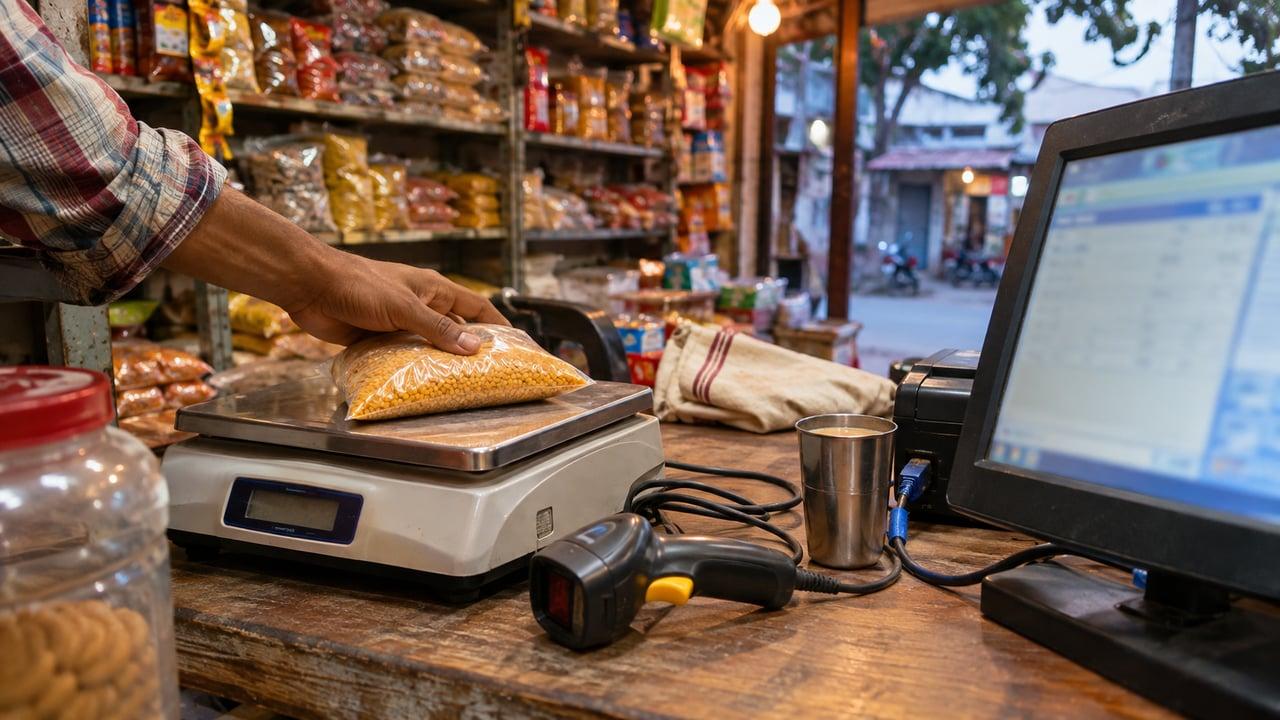
Barcode billing is the base. Every item with a manufacturer barcode is scanned as it is, and every loose or unbranded item gets a barcode label you print yourself from the purchase entry. A scan finds the item, applies its price and tax, and reduces its stock. Search by name or code stays as a backup for items with a torn label.
Four counter features save the most time. A hold bill parks one customer's basket while another pays. A split payment records cash, card and UPI on the same bill. A weighing-scale link fills the quantity for loose goods. A quick reprint or WhatsApp copy answers the customer who lost the slip.
Speed is a test you can run. Ask for a demo with twenty real items from your shelf, scan them against a stopwatch, and watch what happens when the scanner reads a barcode that is not in the item list. A good system lets the cashier add that item in two taps and carry on.
- Barcode scan, name search and item code as three ways to find an item
- Hold bill, split payment and discount with an owner-set limit per user
- Weighing-scale link for loose goods and a unit of measure per item
- Thermal printing and a WhatsApp or SMS copy of the same bill
Should a retail shop issue a GST tax invoice or a bill of supply?
A shop on the regular GST scheme issues a tax invoice for taxable goods. A shop that pays tax under the composition scheme, or sells exempt goods, issues a bill of supply, which carries no tax line. The software should decide this from your registration settings and the item's tax status, so a cashier never picks the document at the counter.
CBIC's invoice rules under the CGST Act list what a tax invoice carries: the supplier's name, address and GSTIN, a consecutive serial number unique for the financial year, the date, the buyer's name, address and GSTIN when the buyer is registered, the HSN code, a description, the quantity, the taxable value after discount, the rate and amount of each tax, and the supplier's signature or digital signature. Place of supply is added when the sale crosses state lines.
The same page lists a lighter set of particulars for a bill of supply: no tax rate or tax amount, but the same consecutive, financial-year-unique serial number rule, plus the date, HSN code, description and value. For a composition dealer, the composition rules add a fixed line: the words "composition taxable person, not eligible to collect tax on supplies" must appear at the top of the bill of supply, and "composition taxable person" on the shop signboard. Check the current rules and your scheme with your accountant.
The rules also change what the software does for walk-in sales. For low-value sales to customers with no GSTIN who do not ask for an invoice, the rules allow one consolidated tax invoice at the close of each day instead of one per sale; confirm the limit and conditions with your accountant. And when a sale reaches the value written into the invoice rule, the tax invoice to an unregistered customer must also carry the customer's name, address, delivery address and state with its code. The software should prompt for these fields only when that case arises.
- Document type chosen from registration scheme and item tax status
- A consecutive serial number that is unique for the financial year, with one or more series
- HSN code, taxable value after discount, tax rate and tax amount on every tax invoice line
- A daily consolidated invoice for low-value walk-in sales, where the rules allow it
- The composition-scheme wording printed automatically on a bill of supply
How should returns, exchanges and credit notes work in retail billing?
A return should be recorded as its own document that points to the original bill, never as a deleted or edited bill. The cashier finds the original by bill number, phone number or barcode, picks the item and the quantity coming back, and the software puts the stock back and creates a credit note linked to the original bill.
CBIC's invoice rules state what a credit note must carry. It shows the nature of the document, its own consecutive serial number, the date, the recipient's details, the serial number and date of the corresponding tax invoice or bill of supply, and the value and tax credited. A system that links every return to its original bill produces that automatically.
Returns split three ways in a general store. A sealed packet returns to saleable stock. A damaged or expired item goes to a separate damage or expiry stock location, so it does not sell again. A refund can go back to the original payment mode, or into a store credit that the customer redeems later. Which of these your shop offers is a policy, and the software should enforce it, with a return window in days and a list of non-returnable categories.
The reverse problem is a wrong bill noticed the same day. The cashier should cancel it with a reason and a user name, and the cancelled number should stay visible in the register. A skipped number is a question an auditor will ask, so the software should never reuse or hide one. For apparel-specific exchange rules, see what garment shop billing software must do.
How should the software track retail stock?
Every sale, return, purchase and transfer should change stock on its own, so the number on screen matches the shelf. CBIC's accounts and records rules require every registered person outside the composition scheme to keep a stock account for each commodity received and supplied, and every registered person who keeps records electronically to keep a log of every entry edited or deleted. A billing system that cannot show that log is a risk at audit time.
Stock starts at purchase entry. When a supplier's goods arrive, the clerk enters the purchase bill, the software creates or updates items, prints barcode labels in bulk, and sets the purchase cost, which later gives you margin by item. A shop that skips purchase entry has wrong stock within a month.
Reorder levels flag items before they run out. A stock take mode lets staff scan a shelf, compare the count with the system, and post the difference as a reasoned adjustment. Batch and expiry dates matter for packaged food, cosmetics and over-the-counter health-care goods: the software should suggest the batch that expires first and list what expires soon. For medicines governed by a licence, confirm the record-keeping rules with the licensing authority, since those rules sit outside the GST invoice rules.
Units need care. A shop that buys rice by the sack and sells it by the kilo needs a unit conversion on the item, so a purchase of one sack adds the right number of kilos. A shop that sells phones needs serial or IMEI numbers captured at billing, so a warranty claim can be matched to the bill.
Does a retail shop need multi-counter billing and offline mode?
A shop with more than one billing point needs multi-counter billing: two or more tills selling from the same stock, with one bill series that has no gaps and no duplicates. A shop in an area with unreliable internet needs offline mode: the counter keeps billing without a connection and syncs when it returns. Most retail shops need at least one of the two.
Multi-counter has a technical catch. If each counter numbers its own bills, two bills can end up with the same number, which breaks the rule that every number is unique for the financial year. Either the counters share one server, so numbers are issued in order, or each counter uses its own series with a clear prefix, and each series stays consecutive and unique on its own, which the rules allow. Ask the vendor which method the product uses and why.
Offline mode should mean the full billing screen, barcode lookup, stock deduction and printing, working from data stored on the counter device. When the connection returns, sales sync to the cloud, and stock updates across counters. Two things still need a connection: sending WhatsApp or SMS bills, and reporting a B2B invoice to an Invoice Registration Portal. A product that cannot do this should not run your only counter.
Does a retail shop need e-invoicing?
For consumer sales at the counter, usually not. The GSTN's e-invoicing overview lists the documents it covers as GST invoices, credit notes and debit notes for business-to-business supplies, supplies to SEZs, exports and deemed exports. A bill to a walk-in customer does not go to an Invoice Registration Portal.
It does matter when a retail shop also sells to businesses, such as an electronics dealer billing an office or a hardware store billing a contractor with a GSTIN. If aggregate turnover is above the notified limit, those invoices need an IRN and a QR code before they are valid. The limit is set by notification and has changed over the years, so confirm with your accountant whether it applies to your turnover; the e-invoice master portal shows your enablement status.
The software should therefore route by customer: a bill with a GSTIN entered follows the e-invoice path, and a consumer bill does not. Do I need GST e-invoicing in my billing software? covers the IRN process in detail.
Which reports should retail billing software give an owner?
An owner needs five reports every week: sales by day and payment mode, stock on hand with value, fast and slow movers, margin by item or category, and a GST summary. If any of these needs a spreadsheet to produce, the software is recording sales but not helping run the shop.
The daily cash report is the first one to test. It should list opening cash, sales by payment mode, returns, expenses and expected closing cash, so the cashier counts the till against one number. The GST summary should match what you file: the rules say the serial numbers of invoices issued in a tax period are furnished through GSTR-1, so a register with gaps or duplicates will not reconcile.
Reports by user show who gave discounts, who cancelled bills and who processed returns. Ask to see them with a role that is not the owner's, because the permissions are the second half of the feature. A cashier should bill and take returns inside limits, a manager should approve exceptions and the owner should see everything.
How should billing software work with Tally?
Most shops keep their books in TallyPrime or give the data to an accountant who does. The billing software should export sales, returns, purchases and receipts in a format Tally imports without edits, and the accountant should be able to run the import for one day on a test company before the shop commits.
TallyPrime's import help explains that masters and dependent data must already exist in the company, and that a sales voucher file should carry fields such as GST registration type, GSTIN or UIN and place of supply, so invoices are not left as uncertain in GST reports. Ask the vendor how ledger names are mapped, and what happens when an item or customer name differs between the two systems.
The second part of the work is the daily rhythm. A shop that exports once a month gets a long, error-prone file. A shop that exports at the end of each day finds a mismatch while it is still easy to trace. For the Tally side, see how to import Excel data into TallyPrime.
Should a retail shop buy billing software or have it built?
Buy it if you run one shop or two on shared stock. Packaged billing apps in India already offer barcode billing, GST invoices, stock and Tally export, and cost far less than a build. Put two or three through the one-week trial set out below before paying.
A custom software build pays off when the shop's stock has to be shared. You sell in the shop and online from the same stock and need both to match in real time, which an ecommerce build with a stock link provides. You run several outlets with transfers and one view of the business. Or you reorder from a supplier or distributor system and want purchase orders raised from your own stock levels.
Often the answer is in between: a packaged app stays at the counter and only the missing connector is built. Softivum scopes that connector in writing around your counter, purchase and return flows, and demos it every week on the real build, so you judge it on your own bills. When a business should build custom software instead of buying gives the test, and how much custom software costs explains what drives the figure.
Retail billing checklist: what to test in a demo
| Feature | What good looks like | How to test it |
|---|---|---|
| Barcode billing | Scan finds the item, price, tax and stock in one step | Scan twenty items from your shelf and time it |
| Loose items | Weighing-scale link and a unit conversion per item | Sell half a kilo of an item bought by the sack |
| GST document | Tax invoice or bill of supply chosen from registration and item status | Bill a taxable and an exempt item and read the printout |
| Bill numbering | One consecutive series, no gaps, cancelled bills kept | Cancel a bill and check the register |
| Returns | Credit note linked to the original bill, stock back or to damage | Return one item from last week's bill |
| Stock | Purchase entry, reorder levels, stock take with reasons | Count one shelf and post the difference |
| Multi-counter | Shared stock and no duplicate bill numbers | Bill the same item at two counters at once |
| Offline mode | Billing, printing and stock work without internet and sync later | Turn Wi-Fi off, bill ten items, turn it on |
| E-invoicing | B2B bills with a GSTIN routed for an IRN; consumer bills are not | Raise one invoice with a GSTIN |
| Reports and roles | Daily cash, stock value, margin, GST summary; role limits | Log in as a cashier and try a large discount |
| Tally export | One day imports into a test company without edits | Import a day of sales and returns |
How to run a one-week trial of retail billing software
Load your items
Import your item list with barcodes, units, tax status and purchase cost. Note how many items need fixing, which tells you how clean the import is.
Enter one real purchase
Key in a supplier bill, print the labels and check that the stock and cost are right.
Bill a busy hour
Have staff bill on the new system during your peak hour, with held bills, split payments and a customer who asks for a GSTIN.
Process returns and a cancellation
Return one sealed item and one damaged item, and cancel one bill with a reason. Read the register afterwards.
Pull the plug
Disconnect the internet, bill ten items, reconnect and check that every counter sees the sales.
Export to Tally
Send one day of data to your accountant and ask for one yes or no: did it import without edits?
Before you choose retail billing software
- The item master, bills and customer list export in a standard format whenever you ask
- Backups are automatic, and the vendor states what happens to your data if you stop paying
- Licences are priced per counter, per outlet and per user in a way you can forecast
- Your scanner, thermal printer and weighing scale are on the supported list
- The vendor ships updates promptly when GST rules or return formats change
- Support is available during your shop hours, including weekends
- The edit and delete log exports for your accountant
- A full day of sales and returns imports into a test company in Tally without hand edits
Sources
Rules and guidance this answer relies on. Policies change, so check the current version before acting on it.
- CBIC: Invoice Rules under the CGST Act (tax invoice, bill of supply, credit and debit notes)
- CBIC: Composition Rules under the CGST Act
- CBIC: Accounts and Records Rules under the CGST Act
- GSTN: Steps for e-Invoicing (overview)
- GSTN: e-Invoice master portal
- TallyPrime Help: Understanding Import Data from Excel