The key points
- A shirt in four sizes and three colours is twelve stock items, and each needs its own barcode label and its own count.
- GST on readymade garments depends on the sale value of each piece, so the rate is worked out per bill line, not fixed on the item master.
- Exchanges return stock to the exact size and colour sold, against the original bill.
- A packaged billing app fits most single shops; a custom build pays off with several branches, wholesale and retail pricing on one stock, or an online store that must share stock with the counter.
What makes garment billing different from other retail billing?
A grocery item is one product with one barcode. A readymade garment is a style that comes in sizes and colours, and every combination sells, runs out and gets reordered on its own. A kurta style in sizes S to XXL and four colours is twenty stock items. If the software stores it as one item with a note in the description, the counter staff can bill it, but nobody can tell you that the medium in maroon sold out on Saturday while the XXL in blue has not moved since Diwali.
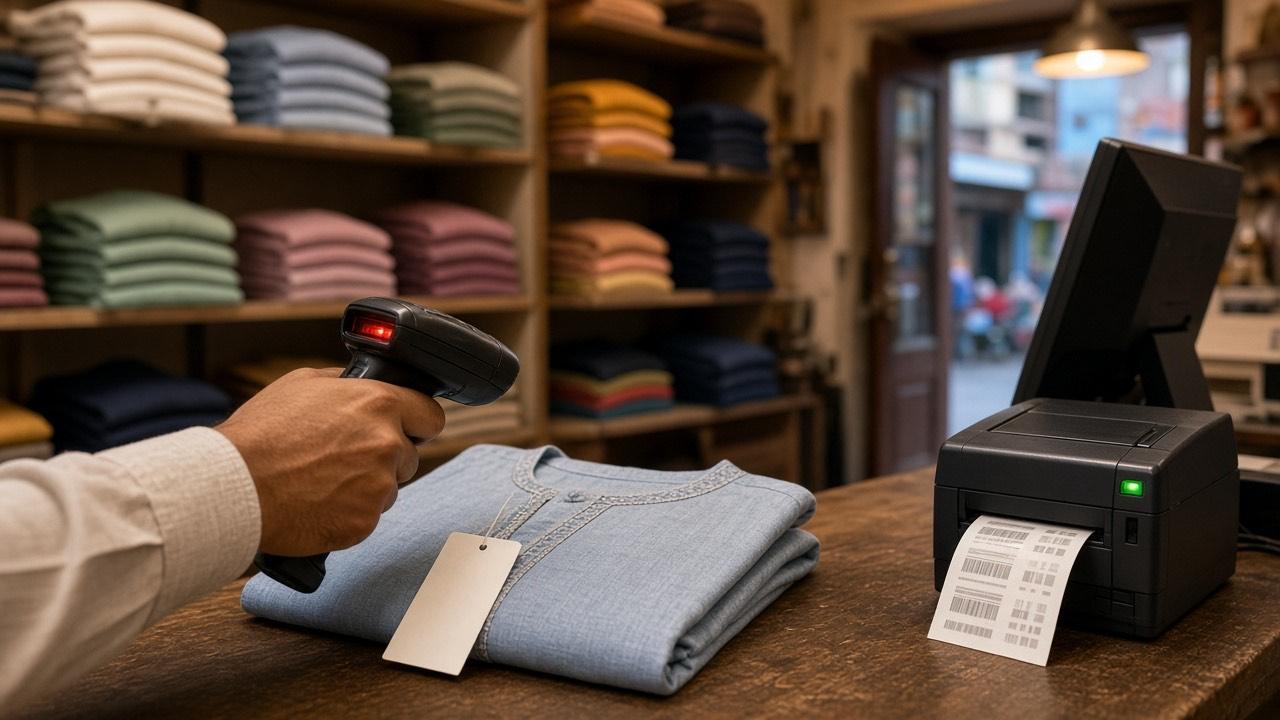
Good garment billing software keeps a variant matrix: you create the style once with its HSN code, fabric, brand and season, tick the sizes and colours you bought, and the software creates each variant with its own stock count. The purchase entry is where this pays off. When a supplier delivers forty pieces across a size run, you enter quantities into the size and colour grid, and the software prints one barcode label per piece, carrying the style, size, colour and selling price. At the counter, a scan bills the right variant and reduces the right count.
The labels need to come from purchase entry in bulk, on the thermal label printer you already own, and reprint singly when a tag tears off in the trial room. Reports should read the same matrix: stock by size for each style, sell-through by colour, and which sizes to reorder. That size curve is how a garment owner buys for next season, and it only exists if billing recorded the variant.
How should the software handle GST on clothes?
Readymade apparel sits in HSN chapter 61 if it is knitted or crocheted and chapter 62 if it is not, and the GST rate for both chapters turns on the sale value of each piece. In its September 2025 recommendations, applied from 22 September 2025, the GST Council kept apparel of sale value up to a notified per-piece limit at the lower rate and moved apparel above that limit to a higher rate. Rates and the limit change by notification, so confirm the current figures with your accountant before you set up the software.
For billing software, this means the rate is worked out on each bill line from the price actually charged for that piece. A rate typed into the item master breaks the moment a style sits close to the line, or an end-of-season discount moves a piece from one side of it to the other. Bundles need the same care: a buy-two offer spreads the value across pieces, and your accountant should decide how offers are valued so the software can follow one rule every time. The HSN code belongs on the style, because it decides which chapter applies and appears on the invoice.
Edits matter as much as rates. CBIC's accounts and records rules require a regular-scheme registered person to keep stock accounts for each commodity received and supplied, and say that for electronic records a log of every entry edited or deleted shall be maintained. Billing software should therefore never let a cashier delete a bill outright. Cancellations stay visible with a reason and a user name, which is also how an owner spots a counter problem.
- HSN code stored on the style, chapter 61 or 62 for apparel
- Rate calculated per line from the price charged for the piece
- One written rule for discounts and multi-piece offers, set with your accountant
- Cancelled bills kept with a reason, never deleted
Does a garment shop need e-invoicing?
For the counter, usually not. GSTN's e-invoicing overview lists the documents covered as GST invoices, credit notes and debit notes for business-to-business supplies, supplies to SEZs, exports and deemed exports. A bill to a walk-in customer is a consumer sale and does not go to the Invoice Registration Portal.
Wholesale is different. A shop that also supplies other retailers, a corporate uniform order or an institution with a GSTIN is issuing B2B invoices, and once your aggregate turnover crosses the notified limit those invoices need an IRN and QR code before they are valid. The limit is tested on turnover across every GSTIN under your PAN, in any year since 2017-18. Check the current figure and your own status on the GST e-invoice portal, and confirm with your accountant.
The software should recognise the difference on its own: a GSTIN entered at billing routes that invoice through e-invoicing, and a consumer bill does not. The detail of IRNs, the reporting window and what to ask a vendor is in whether your billing software needs GST e-invoicing. Restaurants face a separate set of rules, set out in what restaurant billing software has to do for GST, so a product built for food service is a poor fit for a clothing counter.
How should exchanges, returns and alterations work?
Size exchanges are the most common counter task in a garment shop after billing itself. The software should find the original bill by number, phone or barcode, take the piece back against that bill line, and put it back into stock as the exact size and colour that was sold. The replacement goes out as a fresh line. If the prices differ, the difference is collected or refunded; if the customer takes neither, the software issues a credit voucher they can redeem later. How each of these is documented for GST, as a credit note or otherwise, is a question to settle once with your accountant and then configure, so cashiers never decide it at the counter.
Exchange windows belong in settings: the number of days, which categories are excluded, such as innerwear or sale items, and whether a tag must still be attached. The bill should print the policy so the conversation at the counter is short.
Alterations are where generic billing apps fall short. A trouser hemmed or a blouse fitted needs a ticket linked to the bill: the piece, the measurements, the promised date, the tailor it went to, and its status. While a piece is out for alteration it is sold stock, not saleable stock, so it must not show as available. When the tailor marks it ready, the software can send the customer a WhatsApp message to collect it, and the counter sees a list of what is due today and what is overdue.
What about seasons, discounts and more than one branch?
Every style should carry a season tag, so end-of-season reports show what is left from each buying cycle and how fast each style sold. Markdowns work best as rules the owner sets, such as a discount on a season tag or a category for a date range, applied automatically at billing. A cashier typing discounts by hand is how margins leak and how the per-piece GST calculation gets fed the wrong price.
With two or more branches, a stock transfer is a movement out of one location and into another, recorded on a transfer document with the variants and quantities, and received at the other end by scan. Until it is received, the stock is in transit, not missing. Each branch bills from its own stock, and the owner sees the whole business: a customer asking for a size the branch does not have can be told which branch does. If your branches are in different states, ask your accountant how transfers between them must be invoiced before you set them up.
How do WhatsApp bills, loyalty and Tally fit in?
A WhatsApp bill saves paper and gives you a customer's purchase history against their number, which is the base of any loyalty scheme. Meta's opt-in requirements say businesses must obtain opt-in before messaging people on WhatsApp, and must state clearly the business name the person is opting in to hear from. Any message your shop starts must use a template; Meta's template documentation says a template must be approved before it can be sent. Ask for consent at the counter, record it against the customer, and send the bill, the alteration-ready notice and the occasional sale announcement as separate, approved templates. A phone number tied to purchases is personal data, so the DPDP Act duties for a business website or app apply to how you keep it.
Loyalty should run on the phone number: points or a visit count earned per bill, redeemed at billing, and reversed when a returned piece is taken back. Keep it simple enough for a cashier to explain in one sentence.
Most garment shops keep accounts in Tally, so the billing software should export the day's sales, returns and receipts in a form Tally accepts. TallyPrime's import guide says the masters a file depends on, such as ledgers, must already exist in the company data, and that sales voucher files should carry the buyer's GST registration type, GSTIN and place of supply so invoices do not show as uncertain in GSTR reports. A good export maps your ledgers once and then runs without hand edits, the same pattern used to post WhatsApp orders into Tally.
Should you buy garment billing software or have it built?
Buy it if you run one shop or a couple of counters on one stock. Packaged billing apps sold in India for garment and cloth shops already handle variants, barcode labels and GST invoices, and they cost far less than a build. Run a real week of your shop through a demo before you pay: a purchase entry with a size run, a busy hour of billing, three exchanges, an alteration and the Tally export. A general store, electronics shop or supermarket-style counter needs a different checklist, covered in what billing software for a retail shop should do.
A custom software build earns its place in three situations. You run several branches and need transfers, stock in transit and one view of the business. You sell wholesale and retail from the same stock, with trade price lists, credit terms and B2B invoices beside counter sales. Or you sell online and the website must draw on the same stock as the counter, so a piece sold in the shop cannot be sold again on the site; that is an ecommerce development job joined to billing. The general test is in when to build custom software instead of buying.
A middle path often works: keep a packaged billing app at the counter and build only the connector your business is missing, such as stock sync to the online store or a wholesale order portal. Softivum starts with a written scope of your purchase, billing, exchange and transfer flows, then shows working software every week on your own data. If the business currently runs on spreadsheets beside a billing app, replacing spreadsheets with custom software sets out how to move without losing records.
Garment billing feature checklist: what to test in a demo
| Feature | What good looks like | How to test it |
|---|---|---|
| Variant matrix | Style created once, each size and colour its own stock item | Create a style in five sizes and three colours |
| Barcode labels | Labels printed per piece from the purchase entry | Enter a size run and print the labels on your printer |
| GST on apparel | Rate worked out per line from the price charged | Bill one style above and one below the per-piece limit |
| Discounts | Season and category rules applied at billing | Apply an end-of-season rule and check the tax on each line |
| Exchanges | Return against the original bill, stock back to the exact variant | Exchange a medium for a large and check both counts |
| Alterations | Ticket with measurements, tailor, promised date and status | Book an alteration and mark it ready |
| Branches | Transfer out, in transit, received by scan | Move ten pieces between branches |
| E-invoicing | B2B invoices routed for an IRN when a GSTIN is entered | Raise a wholesale invoice with a GSTIN |
| WhatsApp and loyalty | Consent recorded, bill sent as an approved template | Bill a customer who opted in and one who did not |
| Tally export | Day's sales, returns and receipts import without edits | Import one day into a test company in Tally |
Before you choose garment billing software
- Every style is stored once with each size and colour as its own stock item
- Barcode labels print per piece from the purchase entry
- GST on apparel is worked out per line, with a written rule from your accountant for discounts and offers
- Exchanges return stock to the exact size and colour sold
- Alterations have tickets, promised dates and a ready list
- Cancelled bills stay visible with a reason and a user name
- WhatsApp bills go only to customers whose consent is recorded
- The Tally export imports a full day without hand edits
Sources
Rules and guidance this answer relies on. Policies change, so check the current version before acting on it.
- PIB (Ministry of Finance): Recommendations of the 56th Meeting of the GST Council, 3 September 2025
- GSTN: Steps for e-Invoicing (overview)
- Government of India: GST e-Invoice System
- CBIC: Accounts and Records Rules under the CGST Act
- Meta for Developers: Obtaining user opt-in for WhatsApp
- Meta for Developers: WhatsApp message templates
- TallyPrime Help: Getting started with importing data into TallyPrime