The key points
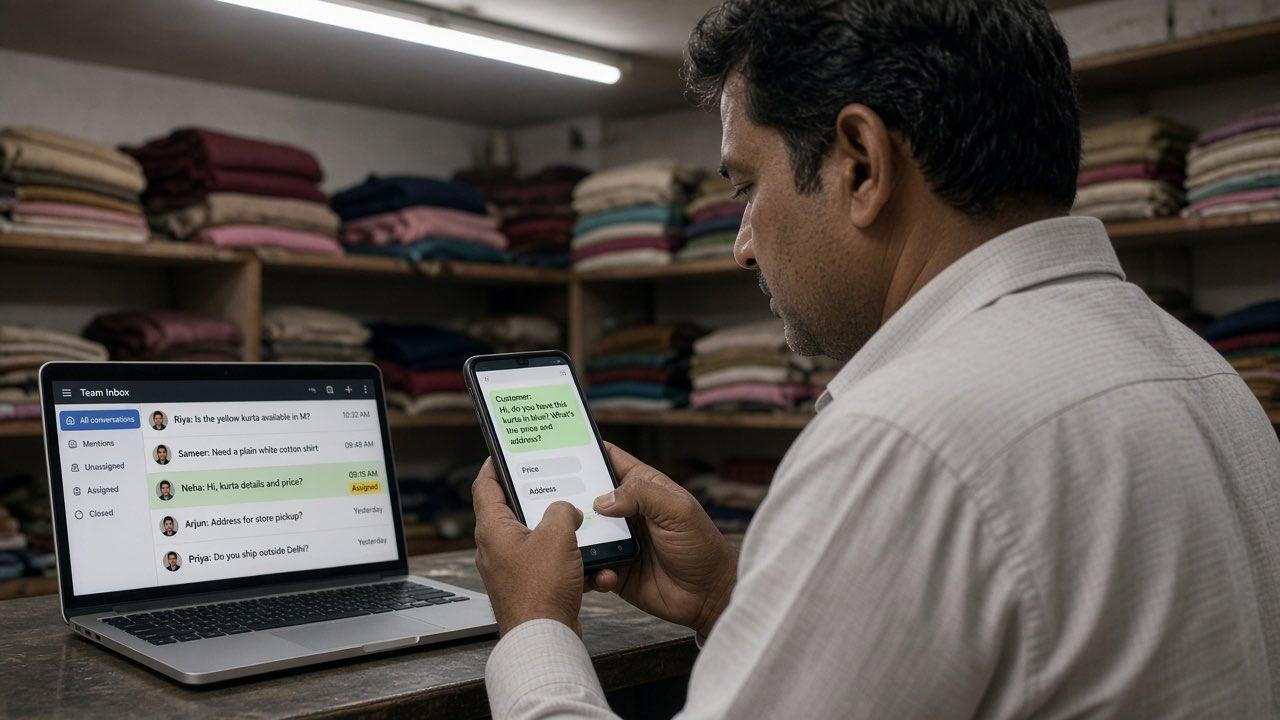
- The app is built for the small business owner and one-to-one chats. The Platform is built for automation, CRM integration and sending at scale.
- On the Platform, you start a conversation with an approved message template. Free-form replies are allowed inside the 24-hour customer service window.
- Coexistence keeps the app and adds the Platform on one number, through a Meta Solution Partner or Tech Provider.
- Under coexistence, group chats and broadcast lists are not available on the Platform side, and throughput is fixed at 20 messages per second.
What does the WhatsApp Business app do?
Meta describes the Business app as built with the small business owner in mind, for one-to-one communication during the purchase process. The features page lists the working set: a business profile, a catalog with collections and a cart, labels to sort chats, quick replies for saved answers, a greeting for new chats, and away messages outside business hours. It also lists Business Broadcasts, which are private one-to-one messages sent to many people at once, available to eligible users in select countries.
More than one person can answer. WhatsApp's linked devices help page says you can pair up to four linked devices and one phone at a time, so several staff can reply from a laptop or desktop. Linked devices cannot create broadcast lists or share live location, and they log out if the phone goes unused for more than 14 days.
What does the WhatsApp Business Platform do?
Meta's Platform overview calls it enterprise-grade APIs for messaging and calling. The Cloud API sends and receives messages from a business phone number, and webhooks tell your software when something arrives. Meta's Platform page lists notifications such as order confirmations and appointment reminders, customer care with routing to live agents and CRM integration, and verification messages. How a bot uses the API is walked through message by message.
The rule that shapes everything is how a conversation starts. The WhatsApp Business Policy says you may only initiate conversations using an approved message template, and free-form replies are allowed inside the 24-hour customer service window that resets with each customer message. Templates fall into marketing, utility or authentication, and each must be approved before it can be sent. You also need opt-in from the person, and you must honour opt-outs.
Can one number use both the app and the API?
Yes. Meta's documentation for onboarding Business app users describes coexistence: a business keeps using the Business app for one-to-one chats and sends high-volume messages through a partner's integration, with message history synced across both. Onboarding runs through a Solution Partner or Tech Provider using Embedded Signup, on Business app version 2.24.17 or higher.
The same page sets the terms. Throughput is fixed at 20 messages per second for a number used on both. Messages sent from the app stay free, while Cloud API messages follow Cloud API pricing, and the 24-hour window applies only to Cloud API messages. Contacts and history sync once, covering up to 180 days. Group chats are not supported or synced, disappearing messages are turned off for one-to-one chats, and broadcast lists become read-only. Linked devices are unlinked at onboarding and can be linked again, up to four. To leave, the owner disconnects the account in the app.
Who needs which?
Stay on the app when the owner or a few staff reply by hand, volumes are small and nothing needs to be triggered by another system. A salon, a local shop or a small clinic front desk often fits here. Sharing one number across a small team covers the setup, and how a clinic should use WhatsApp with patients shows the limits for a doctor's practice. A lab that sends a report-ready message from its reporting system is a platform case; sending lab reports on WhatsApp safely walks through it. A firm that receives identity documents, such as a CA firm taking PAN and Aadhaar, needs the API so the chat can hand the file to storage it controls.
Move to the Platform when an order, payment or booking in another system should send a message by itself, when a chatbot should answer and hand off to a person, when payment reminders go to a list, or when you need every chat recorded in a CRM. Pick coexistence when the team wants to keep the app on the phone while automation runs alongside it. For a UAE business whose customers message first, the website side of that setup is in an Arabic and English site with WhatsApp enquiries.
Whichever route you take, the WhatsApp account belongs to your business portfolio and stays in your name. Softivum builds the chatbot and the workflow automation around it, including webhooks into your CRM, store or sheet, and the AI chatbot that handles first replies.
WhatsApp Business app vs WhatsApp Business Platform (API)
| Question | Business app | Business Platform (API) |
|---|---|---|
| Built for | Small business owner, one-to-one chats | Developers and partners building automation and scale |
| How you use it | On a phone, with up to four linked devices | Through software: Cloud API calls and webhooks |
| Starting a conversation | Message anyone who has opted in, by hand | Approved message template, then free-form inside the 24-hour window |
| Automation | Greeting, away message, quick replies | Flows, chatbots, triggers from your CRM or store |
| Broadcast | Business Broadcasts in eligible countries | Template messages to opted-in contacts |
| Groups | Supported | Not available under coexistence |
| Both on one number | Coexistence, through a Solution Partner or Tech Provider | Coexistence, 20 messages per second |
Before you choose
- List the messages that should send without a person typing them
- Confirm each recipient has opted in to hear from you
- Decide if the team wants to keep the Business app on the phone (coexistence)
- Have the number's business portfolio set up in your own name
- Write the first templates and the human handoff before launch
Sources
Rules and guidance this answer relies on. Policies change, so check the current version before acting on it.
- WhatsApp Business: Business app
- WhatsApp Business: Business app features
- WhatsApp Help Center: linked devices
- WhatsApp Business: Business Platform
- Meta for Developers: WhatsApp Business Platform overview
- Meta for Developers: onboarding Business app users (coexistence)
- Meta for Developers: message templates
- WhatsApp Business Policy