The key points
- Consent is collected at the counter or booking form as its own tick box, before the first message goes out.
- The message says a report is ready and nothing more: no test names, no values, no offers.
- The report sits behind a link that needs a one-time code, expires, and records each opening.
- The software provider that sends messages for the lab is a data processor and needs a written contract.
- A wrong mobile number sends a report to a stranger, so the number is confirmed at registration.
What does a safe lab report flow look like on WhatsApp?
A safe flow has five steps. The patient gives a mobile number and agrees to WhatsApp messages at sample collection. The lab approves the report in its system. The system sends a short report-ready template. The patient taps the link and types a one-time code sent to the same number. The report opens on a secure page, and the opening is logged.
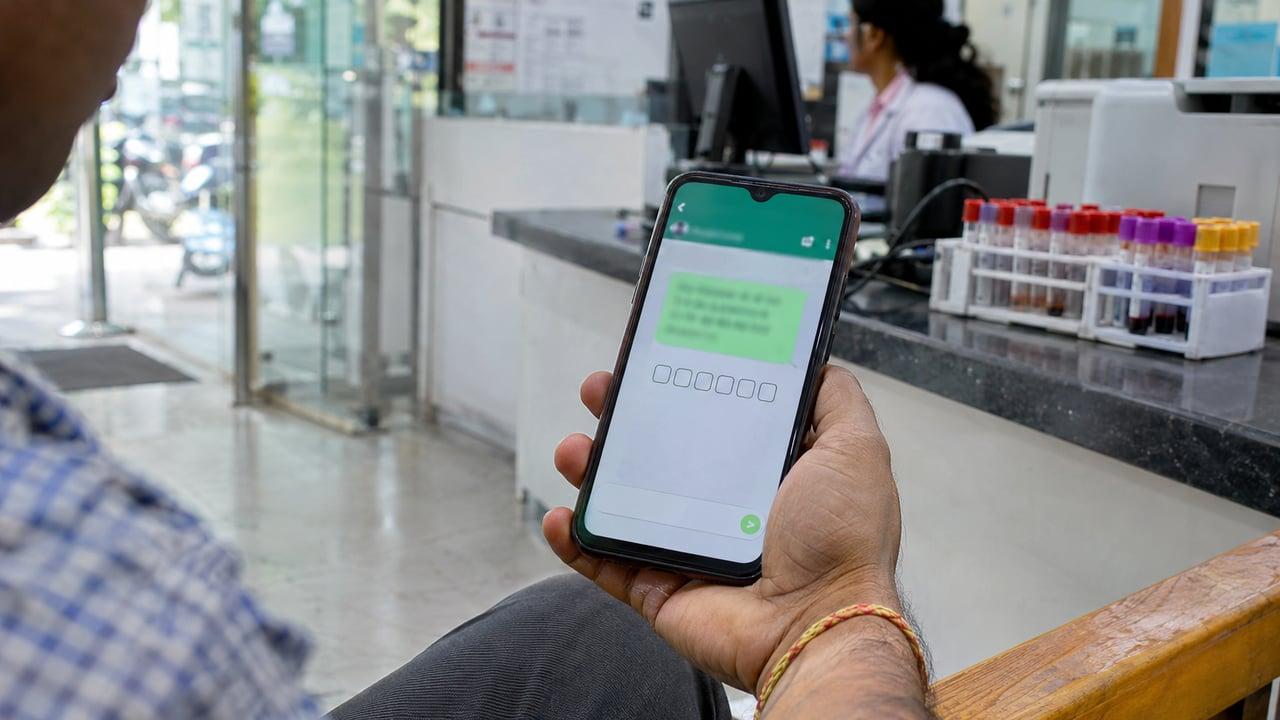
At the collection counter, the front desk asks the patient to read the mobile number aloud, keys it in, and ticks a box that records WhatsApp consent. Hours later the patient's phone shows a message that a report is ready. The message does not say which tests were run. The patient taps, enters the code, and sees the report.
The wider clinic line, covering booking, reminders and prescriptions, is set out in how a clinic should use WhatsApp with patients. A lab has its own shape because the report is the product, and the report is the most sensitive file the business sends.
Why not just attach the PDF in the chat?
A PDF in a chat is outside the lab's control the moment it is sent. It lands in the phone's gallery and cloud backup, can be forwarded to anyone, and cannot be recalled or counted. A link with a code keeps the file on the lab's own system, where access can be checked, limited and ended.
The law puts the protection duty on the business that holds the data. The Digital Personal Data Protection Act, 2023 says in section 8(5) that a Data Fiduciary must protect personal data by taking reasonable security safeguards to prevent a personal data breach. The DPDP Rules, 2025 list the minimum in rule 6: encryption, masking or tokens, access controls, logs that show who accessed the data, and backups. A code-gated link with an expiry and an access log maps onto those items far better than an attachment sitting in forty chats.
The Rules phase in. Rule 1(4) brings rules 3 and 5 to 16, which include notice, safeguards and breach intimation, into force eighteen months after the November 2025 publication. A lab that builds the flow now does not rebuild it later. Confirm the dates that apply to you with your lawyer.
Some patients write first and ask for the PDF. Meta's service message rules let a business send free-form messages, including documents, while a 24-hour customer service window is open. Whether the lab agrees is a policy choice. The default stays the link, because a patient who asked once has not asked the lab to send every later report as an attachment.
How is WhatsApp consent collected at the counter?
Collect it on the registration form or the front-desk tablet as its own tick box, apart from the consent for the tests. The WhatsApp Business Messaging Policy says a business may contact someone only after receiving opt-in permission, and that the business is solely responsible for the method. Meta's platform overview adds that the opt-in must name your business and say what the messages are for.
The Act adds its own layer. Under section 5(1), a request for consent comes with, or after, a notice stating the personal data, the purpose, how the person can withdraw consent and exercise rights, and how to complain to the Data Protection Board. Section 5(3) says the patient must be given the option to read the notice in English or any language in the Eighth Schedule to the Constitution, so a Telugu or Hindi notice sits beside the English one. Section 6(1) requires consent that is free, specific, informed, unconditional and unambiguous, given by a clear affirmative action, so the box starts empty.
Reports are the purpose the patient gave the number for. Section 7(a) of the Act lets a business process data for the specified purpose the person voluntarily provided it for, and its own illustration is a pharmacy sending a payment receipt to a number the customer gave. Sending a health-package offer to that same number is a different purpose and needs its own tick box. Confirm how section 7(a) applies to your lab with your adviser.
Stop requests are honoured on the day they arrive, whether the patient writes a reply, calls the desk or tells the collection staff. The system stores the consent text shown, the time, the number and the person at the counter, so the lab can show what the patient agreed to.
What should the report-ready message say?
It says a report is ready, names the patient by first name or a sample reference, and offers a button. It leaves out test names and results, because a lock screen shows the first lines of a message to anyone standing nearby. A template that reads "Hello {{1}}, your report for sample {{2}} is ready. Tap below to open it. You will need the one-time code sent to your registered mobile number." does the job.
The message is a template because the report is usually ready hours or days after the patient's last message. Meta's platform documentation states that template messages are the only message type that can be sent outside a customer service window. Every template is categorised as marketing, utility or authentication, and the categorization guide says a utility template must be non-promotional and either specific to or requested by the user.
The same guide says a template mixing utility and marketing content is treated as marketing. A report-ready message that ends with an invitation to book a full health package is a marketing template, priced and reviewed that way, and WhatsApp's policy recommends a separate opt-in for each message category. Keep promotions in their own template, sent only to patients who ticked that box.
Meta's utility template reference shows the structure: an optional header, a body, an optional footer and up to ten buttons, with URL buttons among the supported types. The link to the report page goes on a URL button. Meta assigns the final category when it reviews the template, so write the wording as a plain status update.
How does the secure report page work?
The page is a small web app on the lab's own domain that checks who is asking before it shows anything. The link in the message holds a long random token tied to one report, so guessing another patient's link is not practical. The code step then proves the person holds the registered phone.
The code can arrive by SMS, or as a WhatsApp authentication template. The categorization guide describes authentication templates as the ones that verify a user's identity. Either way the code goes to the number on file, never to a number typed into the page. After a few wrong tries the page locks and staff are alerted.
Who else sees the data: the software provider and your staff?
More parties handle a report than most labs list. The lab information system, the WhatsApp messaging provider, the SMS gateway and the host of the report page each touch personal data. Section 8(2) of the Act says a Data Fiduciary may engage a Data Processor only under a valid contract, and section 8(1) says the lab stays responsible for what its processors do. Rule 6(1)(f) of the Rules asks for security safeguards to be written into that contract. If the lab is accredited, the same care applies to how the website talks about it; what NABL accreditation means for a lab website covers the rules.
Staff access follows the same logic. Reception sees that a report is ready and its status. Only staff the lab director authorises see the report itself. Home-collection staff see the visit list, not results. A person who leaves loses access the same day, and every message and access stays in the lab's own account.
Section 8(7) of the Act asks a Data Fiduciary to erase personal data once the purpose is no longer served, unless retention is necessary to comply with a law. How long a lab must keep reports is set by laboratory and medical rules, so the report page expires its links without deleting the underlying record.
What happens if a report reaches the wrong person?
The lab tells the affected patient and the Data Protection Board. Section 8(6) of the Act requires intimation of a personal data breach to the Board and to each affected person. Rule 7 of the Rules says the patient is told without delay, in plain language, what happened, what the likely consequences are, what the lab is doing, what the patient can do, and whom to contact. The Board gets a first description without delay and a detailed report within seventy-two hours unless it allows longer. Confirm with your lawyer whether a given incident counts as a breach.
The best protection is prevention at registration. A wrong digit in a mobile number sends a message to a stranger. The front desk reads the number back, and the system confirms it with a code before the first report-ready message goes out. With the code-gated link, a stranger who receives the message sees only that a report is ready, never the report. The lab keeps a one-page incident note naming who decides, who calls the patient and who writes to the Board.
How does Softivum build this for a lab?
We connect the lab's reporting system to the WhatsApp Business Platform through workflow automation: the template, the consent log, the stop handling and the secure report page, with every send and every access written to a log the lab can read. An AI chatbot can answer status questions from the same data, such as whether a sample has reached the lab. Report content is never interpreted by the bot.
The WhatsApp account, the report page domain and the code are in the lab's name. A written scope lists each message, who approves the template wording and who owns each log, and you see the working flow in a demo every week. Other healthcare builds are on our healthcare and dental page. For labs and practices in the US, what HIPAA means for a medical practice website covers the HIPAA equivalent of these questions.
Three ways to deliver a lab report on WhatsApp
| Method | What the patient receives | What the lab keeps control of | Main risk |
|---|---|---|---|
| PDF attached in the chat | The full report in the conversation | Nothing after sending | Copies in galleries, backups and forwards; a wrong number gets the report |
| Plain link to the file | A message with a web address | The file, until the link is shared | Anyone holding the link opens it |
| Report-ready template with a code-gated link | A status message, then the report after a one-time code | Access, expiry and a log of each opening | A lost phone still holds the code; the expiry and lock limit the damage |
How to set up code-gated report delivery
Confirm the mobile number at registration
The front desk reads the number back and the system sends a code to verify it before any report-ready message is allowed.
Record separate consents
One tick box for report and booking messages, a second for promotions, each stored with its text, time and operator.
Get the report-ready template approved
A plain status message with a first name or sample reference, no test names, and one URL button.
Generate a unique link on approval
When the lab approves the report, the system creates a long random link tied to that report and sends the template.
Gate the page with a one-time code
The code goes to the registered number, the page locks after repeated wrong entries, and the link expires after a set period.
Log every opening
Store the time, the result of the code check and the device, so the lab can answer a patient who asks who opened the report.
Before you go live
- WhatsApp consent is a separate, unticked box on the registration form
- The notice is available in English and the patient's own language
- Promotions have their own consent and their own template
- The report-ready template names no tests and carries no offer
- The report opens only after a one-time code to the registered number
- Links expire, and failed code attempts lock the page
- Every opening is logged with time and result
- The messaging provider and the host are covered by a written contract
- A one-page breach note names who calls the patient and who writes to the Board
Sources
Rules and guidance this answer relies on. Policies change, so check the current version before acting on it.
- MeitY: The Digital Personal Data Protection Act, 2023
- MeitY: Digital Personal Data Protection Rules, 2025 (Gazette, 13 November 2025)
- WhatsApp: Business Messaging Policy
- Meta for Developers: template categorization
- Meta for Developers: utility templates
- Meta for Developers: service messages and the customer service window
- Meta for Developers: about the WhatsApp Business Platform