The key points
- A QR code can open a view-only menu or a full ordering flow; decide which before you print anything.
- The kitchen order ticket, or KOT, is what the kitchen cooks from, so every channel should produce the same ticket.
- Decide when an order reaches the kitchen: on submission, on staff confirmation, or after payment.
- Chains covered by FSSAI menu labelling rules must show calories, allergens and the veg or non-veg logo on the menu.
What is a kitchen order ticket?
A kitchen order ticket is the instruction the kitchen cooks from: table or order number, items, quantities, modifiers such as less spice or no onion, and the time it was raised. It used to be a paper slip from a captain's order pad. In a POS it is a printed ticket at each station or a line on a kitchen display screen.
The point of a KOT is that the kitchen works from one list. When orders arrive from the floor, a QR menu, a delivery app and the phone, the risk is several lists that cooks have to merge in their heads during a rush. A good set-up turns every channel into the same ticket format in the same queue.
What does a QR menu add?
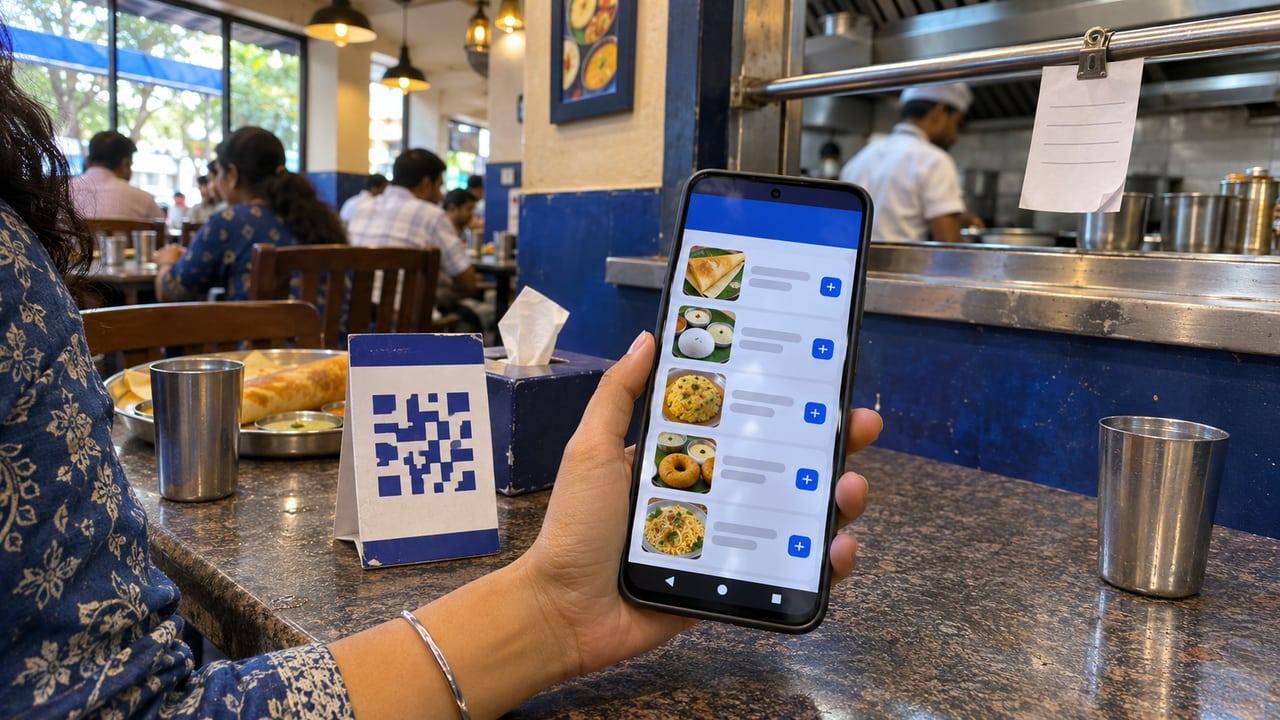
There are two kinds. A view-only QR menu replaces the printed card: the diner scans, reads and still orders through a server. It is cheap, easy to update and needs no change to the kitchen. An ordering QR menu lets the diner place the order from their phone, which then has to reach the kitchen as a KOT.
The ordering kind saves server time on busy floors and helps with long menus. It also moves work you used to rely on staff for, such as catching an allergy, suggesting a combo or noticing that a table ordered twice. Decide which of those your staff will still own before you let tables order on their own.
- View-only: no kitchen change, menu always current
- Ordering: needs table mapping, a release rule and a kitchen queue
- Pay at table: adds payment status to the release rule
When should an order reach the kitchen?
This is the decision that matters most, and it is a business choice rather than a software one. Releasing on submission is fastest but lets mistaken or prank orders reach the line. Releasing on staff confirmation keeps a person in the loop. Releasing after payment removes unpaid orders entirely, which suits counters and quick service.
In a restaurant POS case study we built, the kitchen queue is gated on payment, so unpaid orders cannot reach the line, and customers are notified as their order moves through placed, preparing and ready for pickup. That rule fits a counter-service pizzeria. A sit-down restaurant where guests pay at the end would choose staff confirmation instead.
Whatever you choose, apply it to every channel. If QR orders release on submission but floor orders wait for a captain, cooks will see orders in an order that makes no sense to them.
What must a digital menu show?
FSSAI's menu labelling rules apply to food service establishments with a central licence, or with outlets at ten or more locations. Those businesses must show the calorific value per serving and the serving size against items on the menu, allergen information, and the veg or non-veg logo. FSSAI's guidance note lists restaurants with state licences at fewer than ten locations as outside this requirement. If your business is covered, treat the QR menu as a menu and show the same information there.
Keep the QR menu and your Google Business Profile menu in step. Google's menu editor lets you list sections, items, descriptions and prices, and a profile with an outdated menu sends people to your table expecting dishes you have dropped. One menu source that feeds every place it appears saves that clean-up.
How do you roll it out without disrupting service?
Start with a view-only QR menu on a few tables, then switch on ordering for a quiet session with a captain watching the kitchen screen. Check that modifiers print the way cooks expect and that table numbers on tickets match the floor plan. Only then add payment at the table.
If your current POS cannot accept QR orders into its kitchen queue, that is the real constraint, not the QR code. The restaurant POS software page explains how we approach one queue for every channel, and the POS buyer's guide covers what to test in a demo. GST on those orders works the same as any dine-in bill; see billing software and GST.
How a QR order becomes a kitchen ticket
Diner scans the table code
The code carries the table number, so the order is tied to the right table without the diner typing it.
Diner builds the order
Items and modifiers come from the same menu source as the POS, so prices and availability match.
Staff confirm
A captain sees the pending order and confirms it, catching duplicates and noting allergies.
Ticket is raised
The POS creates a KOT in the same format as staff-taken orders and sends it to the right station.
Kitchen cooks and marks ready
The kitchen display or printer shows the ticket in queue order, and marking it ready alerts the floor.
Before switching on QR ordering
- Choose view-only or ordering, and print codes that match that choice
- Decide the release rule: on submission, staff confirmation or payment
- Confirm every channel produces the same kitchen ticket format
- Map table codes to the floor plan and test them
- Show calories, allergens and the veg logo if FSSAI menu rules cover you
- Keep one menu source for the QR menu, POS and Google profile
Sources
Rules and guidance this answer relies on. Policies change, so check the current version before acting on it.