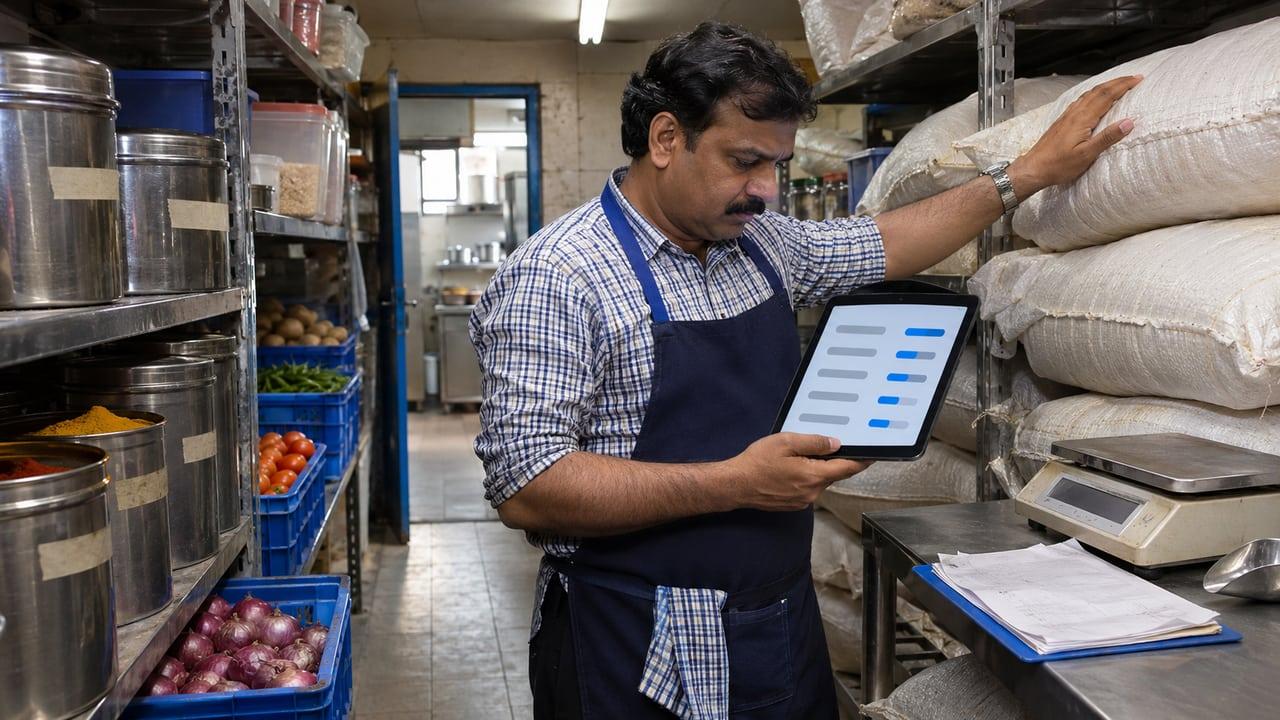
The key points
- Recipes connect sales to stock; without them, inventory is a monthly guess.
- Wastage, staff meals and complimentary items must be logged, or they show up as missing stock.
- Regular-scheme GST taxpayers must keep stock accounts that include goods lost, destroyed or written off.
- FSSAI's catering hygiene rules expect stock rotation on a first in, first out or first expire, first out basis.
Why does restaurant inventory go wrong?
Because sales and stock are recorded in different places by different people. The counter knows what was sold, the kitchen knows what was used, the store knows what arrived, and nobody joins them until the month ends. By then the gap between what should be on the shelf and what is there has no explanation.
The fix is to make stock move when something real happens: a delivery received, a dish sold, a tray thrown away. Software helps, but only if those events are captured at the moment they happen. A system that expects someone to reconcile on Sunday night will be accurate for about two weeks.
How do recipes connect sales to stock?
A recipe, sometimes called a bill of materials, lists what one portion of a dish uses: grams of cheese, millilitres of sauce, one base. When the POS sells that dish, the system deducts those quantities. Theoretical stock then exists at every moment, and a count shows the variance against it.
Start with the dishes that drive most of your cost, not the whole menu. A pizzeria needs cheese, flour and toppings right before it needs garnish. Write the recipes the way the kitchen actually portions, then weigh a few portions to check. Recipes that describe the ideal portion rather than the real one hide the variance you are trying to find.
In a restaurant POS case study, inventory and expense tracking were captured during service instead of being rebuilt after closing, which is what makes the numbers usable the next morning.
- Units: buy in kilograms or cases, count in what the kitchen uses, and store the conversion
- Yields: record usable weight after trimming for meat, fish and vegetables
- Modifiers: extra cheese should deduct extra cheese
What should be logged besides sales?
Wastage, staff meals, complimentary dishes, transfers between outlets and returns to suppliers. Each is a legitimate reason for stock to leave, and each looks like theft or bad portioning if it is not recorded. Make logging quick: a reason, an item and a quantity from a phone in the kitchen, not a form at the manager's desk.
These logs also answer GST. Section 35 of the CGST Act and the accounts rules require a registered person, other than one paying tax under the composition scheme (which restaurants are allowed to opt for), to keep stock accounts showing opening balance, receipts, supplies, goods lost, stolen, destroyed or written off, and the closing balance, with books kept at the principal place of business and each other registered place of business. A restaurant on the regular scheme that logs wastage properly already has most of that record. Billing treatment is covered in restaurant billing software and GST.
How often should you count?
Not everything at the same frequency. Pick the ten to twenty items that carry the most cost or the most risk of going missing and count those daily, at the same point in the day. Count the rest weekly. A full count every day burns hours and gets done badly; a monthly count finds problems too late to act on.
Store and count with food safety in mind as well. FSSAI's guidance for the catering sector, which follows the hygiene requirements for licensed food businesses, asks for raw materials and prepared food to be stored and used first in, first out, or first expire, first out, with date and time tags to make that possible. Date tags on containers make the count faster too, because old stock is visible.
How should purchasing work?
Set a par level for each item: the quantity you want on hand after a delivery, based on usage between deliveries plus a margin. The purchase order is then the par level minus current stock, which the system can calculate from theoretical stock. A manager reviews and sends it; the cook stops ordering from memory.
When goods arrive, receive them against the purchase order: check quantity, weight and condition, and record the supplier invoice. Price changes show up at this point, and they are often the real cause of food cost creeping up rather than portioning.
If you run several outlets, a central view of stock and purchases matters more than any single feature. Reporting and dashboards can sit on top of the POS data, and the restaurant POS software page describes how we capture stock during service. For comparing products, the billing software comparison is a good starting point.
Setting up inventory tracking in five steps
List your cost drivers
Pick the items that make up most of your food cost and the ones most likely to go missing.
Write real recipes
Record portion quantities as the kitchen actually serves them, and weigh a few portions to check.
Turn on logging
Give the kitchen a quick way to log wastage, staff meals and complimentary dishes with a reason.
Set a counting rhythm
Count the key items daily and the rest weekly, at the same time of day.
Order from par levels
Set par levels, let the system suggest orders, and receive deliveries against them.
Signs your inventory process is working
- Sales deduct stock through recipes without anyone typing it in
- Wastage and staff meals are logged on the day they happen
- High-value items are counted daily and the variance is reviewed
- Purchase orders come from par levels, not memory
- Deliveries are received against the order, with price changes noted
- Stock is date-tagged and used first in, first out
Sources
Rules and guidance this answer relies on. Policies change, so check the current version before acting on it.