What school management software actually is
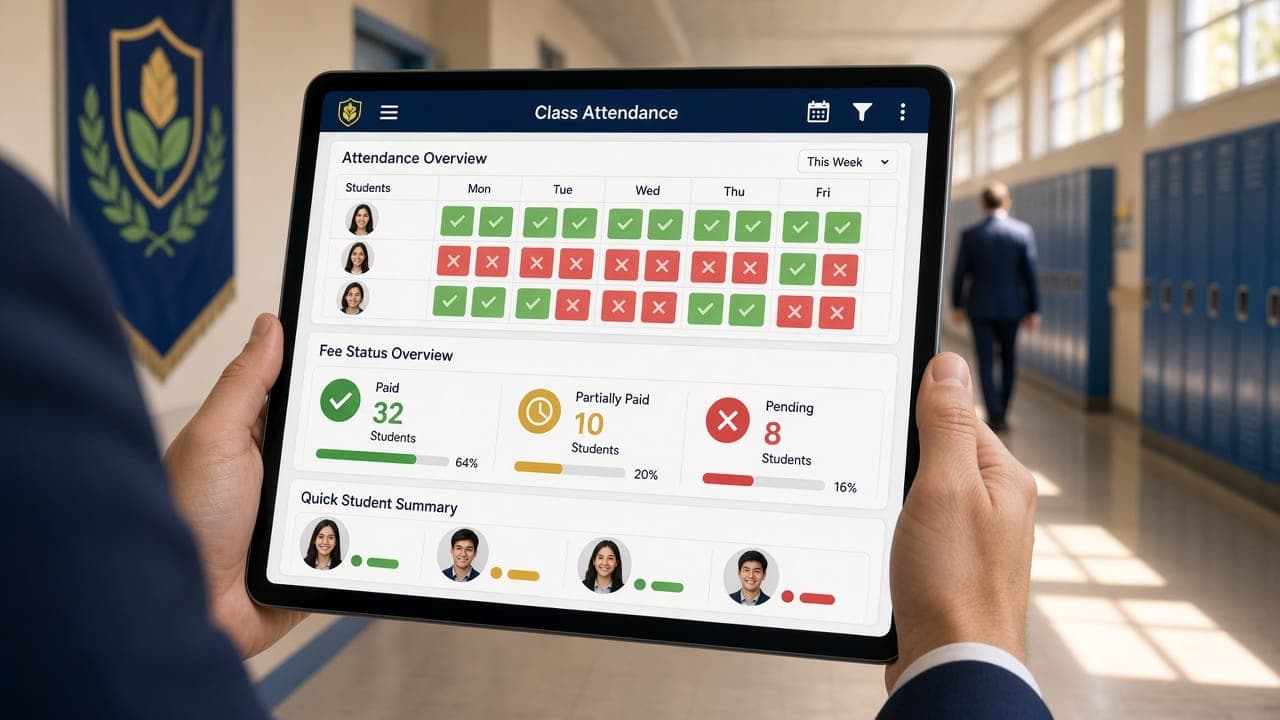
School management software is the system that runs a school's administration: fees, attendance, admissions, staff records, communication with parents. It is sometimes called a school ERP. What it is not is a learning platform — coursework, assignments and grading belong to a separate category, and conflating the two is the first way a buying process goes wrong.
We built one of these from scratch for a preschool group, so this guide comes from having made the decisions rather than from comparing marketing pages. If you want the short version: ignore the feature count and test five specific things in the demo.
Why most school software evaluations go wrong
The typical process is to collect three vendors, put their features side by side, and pick whichever ticks the most boxes. This reliably produces a bad decision, for one reason: every product ticks every box. Fee management, attendance, admissions, reports, parent portal — all of them claim all of it. The differences are in how well each thing works, and a comparison table cannot show that.
What actually determines success is whether the office staff who touch the system fifty times a day find it faster than what they were doing before. If they do not, they keep the spreadsheet running alongside it, the two sources disagree within a term, and you now have worse data than before you spent the money.
So the question to hold in mind throughout is not "does it do X" but "how many clicks, and how long, for the five things we do most".
The five things to test in every demo
Insist on doing these yourself, on your own data if possible, rather than watching a scripted walkthrough.
1. Generate a term's fees for one class
This is where school offices lose days. You need to see the whole flow: setting a fee structure, applying it to a class, handling the students who have a sibling discount or a scholarship or a part payment, then recording collection and producing a receipt.
Watch specifically for how exceptions are handled. Every school has them, and a system that requires you to edit each exceptional student individually will consume an afternoon per term. Ask the vendor to show you a mid-year fee revision, because that is the case most products handle badly.
2. Mark attendance on a phone
Teachers will not use a desktop system for attendance. Hand a phone to whoever is demonstrating and ask them to mark a class of thirty, including two late arrivals and one absence with a reason.
If it takes longer than a paper register, the paper register wins and you will be reconciling two records forever. This single test eliminates more products than any other.
3. Follow one admission enquiry end to end
From the parent submitting an enquiry, through follow-up, to enrolment and a student record existing. Count how many times someone has to retype information the parent already gave.
This is also where the software meets your website, and the two are usually bought separately and never connected. On the Little Lumos admission form we cut the enquiry to ten questions and got completion under thirty seconds, which matters precisely because every extra field loses parents who had already decided to enquire. A ninety-second form feeding a slick portal still produces fewer enrolments than a thirty-second form feeding a spreadsheet.
4. Log in as a parent
Ask to see exactly what a parent sees. Then ask what stops a parent seeing another family's information.
This is a permissions question and it is not academic. A school holds children's names, addresses, photographs and payment records. Four distinct levels — superadmin, admin, teacher, parent — is the minimum, and each should see only what its role requires. If the vendor cannot demonstrate the boundary, assume there is not one.
5. Export everything
Ask them to export your complete data, right now, in the demo. Not a report. All of it, in a format you could hand to another developer.
A vendor who cannot or will not do this has built a system you cannot leave, which means the price will rise and you will pay it. This is the single most predictive question in the whole evaluation and it takes thirty seconds to ask.
What to look for beyond the demo
Multi-campus readiness, even if you have one campus
If there is any chance of a second location, this decides your architecture. A system built for one school becomes an expensive migration exactly when you are busiest opening the new campus.
The technical term is multi-tenancy, and it means additional campuses are configuration rather than a rebuild. We put it in the first architecture of the school management portal we built, because retrofitting it later is not a setting — it is a rewrite of how every record is scoped.
Ask directly: "if we open a second branch next year, what happens?" A good answer is "we add a tenant". A bad answer involves the word "instance".
Who does implementation, and who trains your staff
Software arrives configured or it arrives empty. Find out which, in writing. Ask who enters your current students, who sets up the fee structures, and who trains the office — and whether those are included or billed.
The gap between "the software supports fee management" and "your fee structures are set up correctly" is usually several weeks of somebody's work, and it is the most commonly underestimated cost in the entire project.
Support that matches a school's calendar
Schools have hard deadlines. Admission season and fee collection windows are not moments to discover that support is email-only with a two-day response. Ask what happens if the fee module breaks on the last day of a collection window.
What this costs, honestly
Two models, and the comparison is rarely made properly.
Subscription products charge per student per year. This looks cheap at 200 students and stops looking cheap at 800, because your bill grows with exactly the success you were hoping for. There is usually an implementation fee on top, and often a charge to get your data out.
Owned software costs more upfront and nothing recurring beyond hosting. It makes sense when the roll is large enough that per-student pricing exceeds ownership, or when your process genuinely does not fit a product.
The number to compare is the five-year total: licence or build, plus implementation, plus training, plus data migration, plus the cost of leaving. Ask both kinds of vendor for that figure. The ones who will not give it are telling you something.
We publish how we scope and price work, including what moves the number, because a figure without a scope is not useful to anyone.
When to build instead of buy
Most schools should buy. If a product covers most of what you need and you can adapt to the remainder, buying is faster, cheaper and less risky, and we will say so on a first call rather than take the project.
Building becomes the better answer in three situations. When your process is the thing that makes you distinctive and no product accommodates it. When per-student licensing across a growing roll exceeds the cost of owning a system. And when you need modules a product treats as edge cases — inventory, expenses, event management and daily activity records all tend to be thin in general-purpose school ERPs, and they are exactly what a preschool lives on.
That third case is why the portal we built exists. The client needed automated fee generation, attendance, daily activities for parents, an admission pipeline, expenses, inventory, events and notifications in one system with four permission levels. No product fitted, and the pieces they were combining did not reconcile with each other.
If you want to talk through which category you fall into, or see what we build for schools more broadly, the first conversation costs nothing and quite often ends with us recommending you buy something.
The part nobody asks about: what the school is holding
A school management system holds children's names, dates of birth, home addresses, photographs, medical notes and payment records. That is among the most sensitive data any small organisation handles, and it is usually the least discussed part of the purchase.
Three questions are worth asking directly, in writing. Where is the data physically stored, and is it inside India? Who at the vendor can see it, and is that access logged? And what happens to it if you stop paying — is it deleted, retained, or held pending a fee?
None of these are exotic. They are the questions you would want a parent to be able to ask you and get a straight answer to. If a vendor treats them as unusual, that is itself the answer.
Related: ask whether parent accounts can be revoked cleanly. Custody arrangements change, staff leave, and a system where access can only be added is a system that accumulates people who should no longer be able to see a child's record.
A short checklist
Take this into the demo:
- Generate one class's fees for a term, including two exceptions
- Mark attendance for thirty students on a phone
- Follow an admission enquiry from form to enrolled student record
- Log in as a parent and try to see another family's data
- Export all of your data, in the demo, unprompted
- Ask what happens when you open a second campus
- Ask for the five-year total cost, in writing
- Ask who enters your current students and whether it is billed
If a vendor resists more than one of those, that is the finding.