The key points
- Planners shortlist on capacity, photos, location, parking and catering terms. If those are hard to find, the venue is ruled out.
- Show capacity by layout (seated dinner, theatre, cocktail) and by hall, not one big number.
- Photograph the actual halls with real events in them, with descriptive alt text and file names.
- The enquiry form asks for date, event type and guest count, labels every field and works with one thumb.
- Mark the venue up as a LocalBusiness. Do not mark a hall or a package as an Event: Google reserves that for single public events.
What do planners look for on a venue website first?
They look for the facts that decide the shortlist: how many people the hall holds, what it looks like, where it is, where guests park, who caters and whether the date is free. The website decides which three venues get a site visit, and the venue that answers these questions fastest gets it.
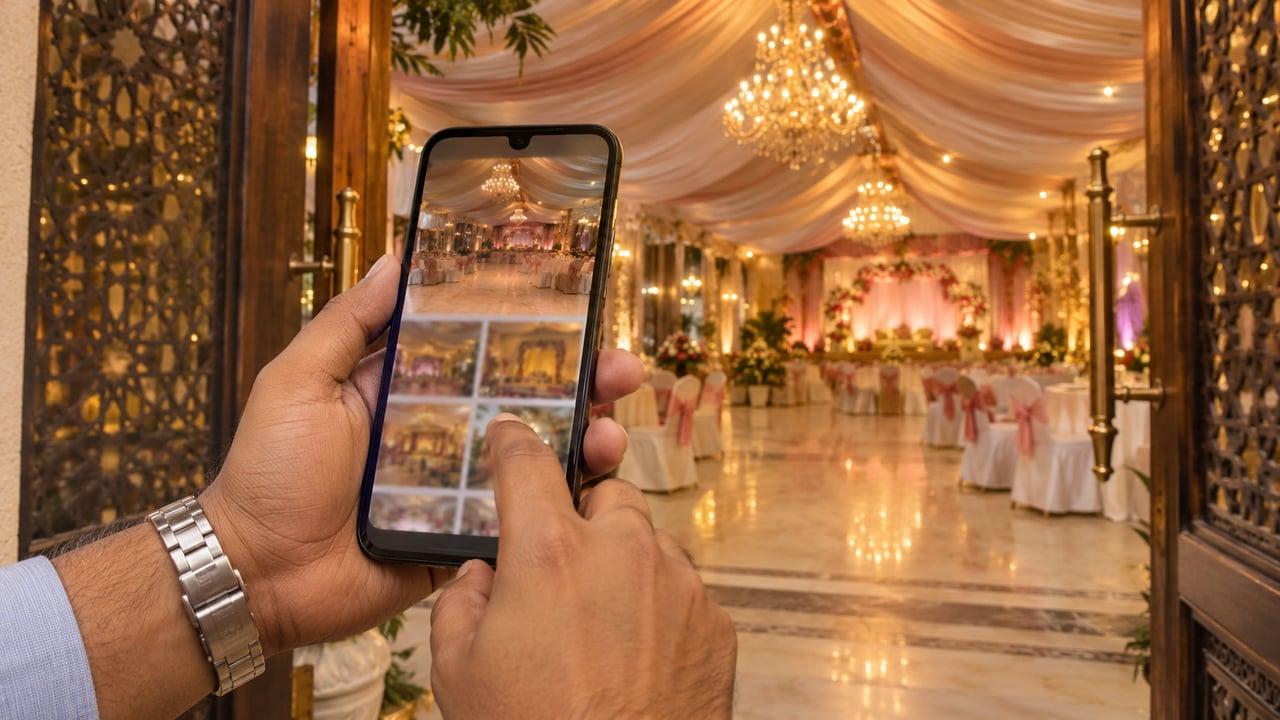
Most planners check venues on a phone. Put capacity, a gallery and a call or WhatsApp button on the first screen of the home page. Put detail one tap deeper, on a page per hall and a page per event type.
How should a venue show capacity and halls?
Give every hall its own page with capacity for each layout, area, ceiling height, air conditioning, power backup, stage and green room, and a floor plan. A single "up to 500 guests" line misleads, because a seated dinner and a standing reception hold very different numbers.
Name the halls the way staff do, state which can be joined and what the joined capacity is, and say what is included in the rent and what is extra. If catering is in-house, outside-only or both, say so. Planners ask it before anything else, so answer it on every hall page.
Add separate pages for weddings, receptions, engagements and corporate events. Each page shows the layouts, photos and terms for that kind of event: round tables and a stage for a reception, theatre seating and a projector for a conference. Softivum builds these pages for events and banquet venues.
Which photos and virtual tour features help?
Photograph the real halls, set up for real events, in daylight and lit for the evening. The photos should match what the family sees when they walk in. Show the entrance, the parking, the kitchen frontage, the stage, the washrooms and the guest rooms if you have them.
Google's image guidelines say Google finds images in the src attribute of img elements and does not index CSS images, call alt text the most important attribute, and prefer descriptive file names such as hall-evening-setup.jpg over IMG00023.JPG. Write alt text that describes what is in the picture.
A short walkthrough video or a 360 degree tour helps a family in another city who cannot visit. Treat it as a supplement, with the gallery and the written specification still on the page, because a tour does not state how many guests fit. See making a website fast on mobile before adding heavy media.
What should the enquiry form ask?
The form should ask for what a manager needs to reply usefully: the event date, event type, approximate guests, name and mobile number. Leave budget, menu and decor for the conversation. Every extra field costs enquiries, and the form is used one-handed on a phone.
Label every field. WCAG 3.3.2 says labels or instructions are provided when content requires user input, and the criterion applies to every field that needs input. Mark the name and phone fields with autocomplete values; WCAG 1.3.5 (Level AA) asks that the purpose of fields collecting the user's own details be programmatically determinable, which the autocomplete attribute does, so a phone can fill them in. The WCAG page lists tel and name as examples.
Add a plain consent line that names the venue and says the number will be used to reply about this enquiry. How that consent is stored and used is covered in how a venue should manage event enquiries and in what India's DPDP Act means for a business website. A WhatsApp button next to the form catches the families who would rather message than type.
Which structured data should a venue website use?
Use LocalBusiness structured data for the venue, written as JSON-LD. Google's LocalBusiness documentation lists name and address as required, and geo coordinates, opening hours, telephone, url and priceRange as recommended. It tells you to use the most specific LocalBusiness subtype that fits.
Do not mark a hall, a package or a wedding enquiry as an Event. Google's Event structured data guidelines say events must be physical and bookable by the general public, each event needs its own page, and you should not mark business hours or non-event products as events. A concert or fair open to the public that you host can carry Event markup on its own page. A private wedding cannot.
The structured data must match what is visible on the page. Keep the address, phone number and opening hours identical across the site, the markup and your Google Business Profile, as local SEO depends on it.
How do reviews and proof belong on the page?
Show recent reviews with the source named, photographs of real events and the number and kinds of functions hosted last season. Real reviews beat adjectives, and a planner can weigh them against a competitor's claims.
Ask for reviews after each event, within the platform's rules, as described in requesting Google reviews automatically. Respond to the critical ones in a calm tone and with specifics.
What happens after the visitor submits the enquiry?
The site's job does not end at the form. The enquiry should reach the right person on WhatsApp or email within moments, with the date already checked against the calendar, and the visitor should see a confirmation that says when they will hear back. A form that disappears into an inbox nobody watches defeats the best design.
Softivum builds venue websites that connect to enquiry capture and follow-up through LeadFlow, and to the booking system behind the calendar. Measuring which pages produce enquiries is covered in tracking enquiries in GA4.
What each part of a venue website must do
| Page element | What to show | Why planners care |
|---|---|---|
| Hall page | Capacity by layout, area, ceiling height, amenities, floor plan, joined-hall option | Decides whether the hall fits the guest list |
| Gallery | Real photos of each hall set up for real events, with alt text | Shows what the room looks like and avoids a mismatch at the visit |
| Location and parking | Map, landmark directions, parking capacity, valet or shuttle | Guest comfort and arrival matter to the family |
| Catering and decor terms | In-house, outside or both; what is included in the rent | Decides whether the family's caterer can work here |
| Enquiry form | Date, event type, guests, name, phone; labelled fields; consent line | Gets the lead without losing it to friction |
| Reviews | Recent reviews with the source named | Proof a planner can check |
Venue website checklist
- Every hall has its own page with capacity by layout, area, amenities and a floor plan.
- Photos show the real halls with real events, with descriptive alt text and file names.
- Location, parking and directions are on the page and on a map.
- Catering rules and what the rent includes are stated.
- The enquiry form asks only for date, event type, guests, name and phone, and every field is labelled.
- A call and WhatsApp button sit on the first screen on a phone.
- LocalBusiness markup matches the visible address, phone number and hours.
- Hall and package pages are not marked up as Event.
Sources
Rules and guidance this answer relies on. Policies change, so check the current version before acting on it.